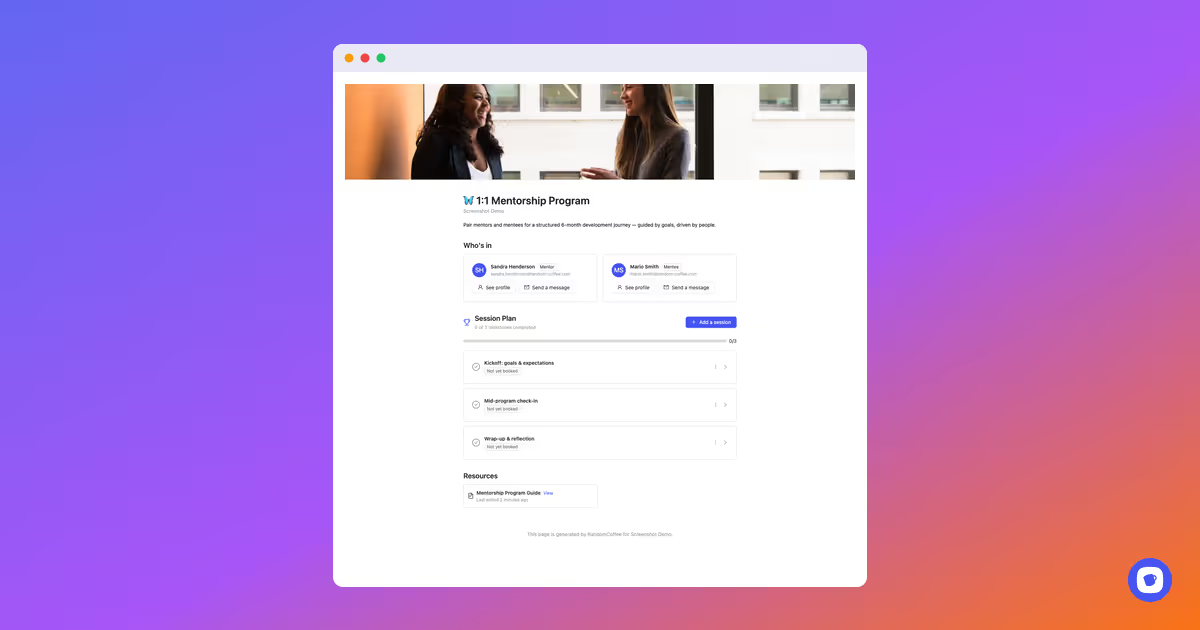
Once a mentor and mentee are matched, they now land on their own dedicated page — everything they need to get started, in one place:
📅 Session Plan A clear agenda of every milestone in the program, with progress tracked automatically as sessions get booked and completed.
📄 Resources Attach guides, tips, or any note you want your pairs to have on hand — always one click away.
👥 Who's in Both participants' info, roles, and quick actions (message, view profile) front and center.
Hope you'll like it 🙂
Improvements
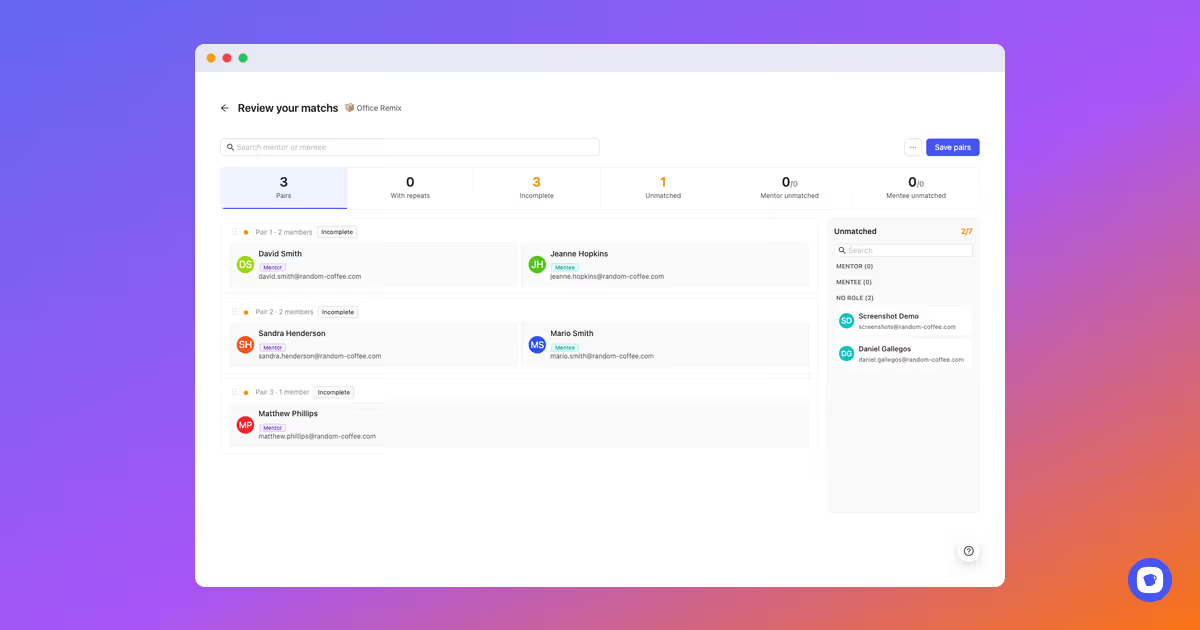
Mentor & mentee pairs, right in match review 🤝
The match review screen now speaks mentor and mentee.
When you're reviewing a mentoring program, pairs are labeled and color-coded by role — mentor or mentee — instead of generic "members". Spot who's who at a glance, fix an unbalanced pair, or reassign a role in a click, right alongside your other program types.
Hope you'll like it 🙂
New Features
Mentorship, reimagined 🦋
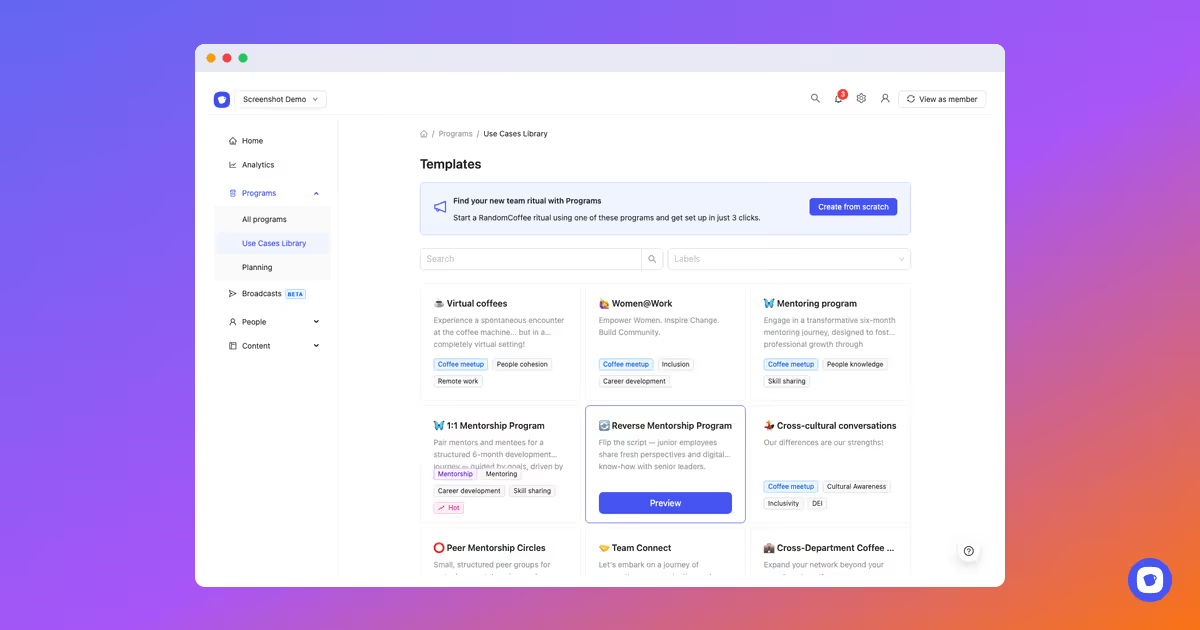
👉 Structured mentoring programs, built for scale
Mentorship just got a major upgrade. Whether you're launching a classic 1:1 program, flipping the script with reverse mentoring, or running peer circles, RandomCoffee now gives you the structure to make it work at any size.
Here's what's new:
🎯 3 program modes Choose the rhythm that fits your org: fixed dates for a cohort-driven journey, flexible deadlines where participants book their own sessions, or a rolling evergreen program that matches new joiners as they come in.
🤝 Flexible matching Let our algorithm pair mentors and mentees automatically, hand the choice to your members, or assign pairs yourself — whatever fits your culture.
📈 Built-in health tracking Every pair is automatically monitored — active, needs attention, or at risk — so you catch stalled relationships before they fade out, with reminders sent at the right moment.
🧩 Ready-made templates Start from a 1:1 Mentorship Program, Reverse Mentorship, or Peer Mentorship Circles — customize mentor/mentee labels and audiences in a few clicks.
Hope you'll like it 🙂
Improvements
Forms & Notes design customization 🎨
You can now customize the design of your Forms and Notes to match your brand identity.
From the editor, you have control over:
Colors — set your brand colors for backgrounds, buttons, and accents
Typography — choose fonts that reflect your style
Logo — add your logo to give every form and note a professional, on-brand look
Whether you're sending a feedback form, an onboarding note, or an internal resource, your content will now look and feel like it truly comes from your organization.
Hope you'll like it 🙂
Announcement
🔒 SOC 2 certification renewed
RandomCoffee has successfully renewed its SOC 2 Type II certification, confirming our continued commitment to the highest standards of security and compliance.
New Features
Communications, Forms & Notes are here! 🎉
👉 The new big leap: Broadcasts, Forms & Docs are here 🎉
With this update, RandomCoffee is not just about connections anymore: it’s becoming a communication and engagement platform for HR teams and internal communities.
Here’s what’s new:
📢 Broadcasts You can now send targeted communications to the right people, at the right time whether it’s an internal newsletter, a program update, or an important announcement.
📊 Forms Launch a form in minutes and start collecting real feedback from your employees. Great for engagement, onboarding, events, internal programs, or just taking the pulse of your organization.
📝 Docs Create resources, guidelines, and internal content once, and reuse them across your communications and programs. A simple way to organize and scale your initiatives.
Hope you’ll like it 🙂
Improvements
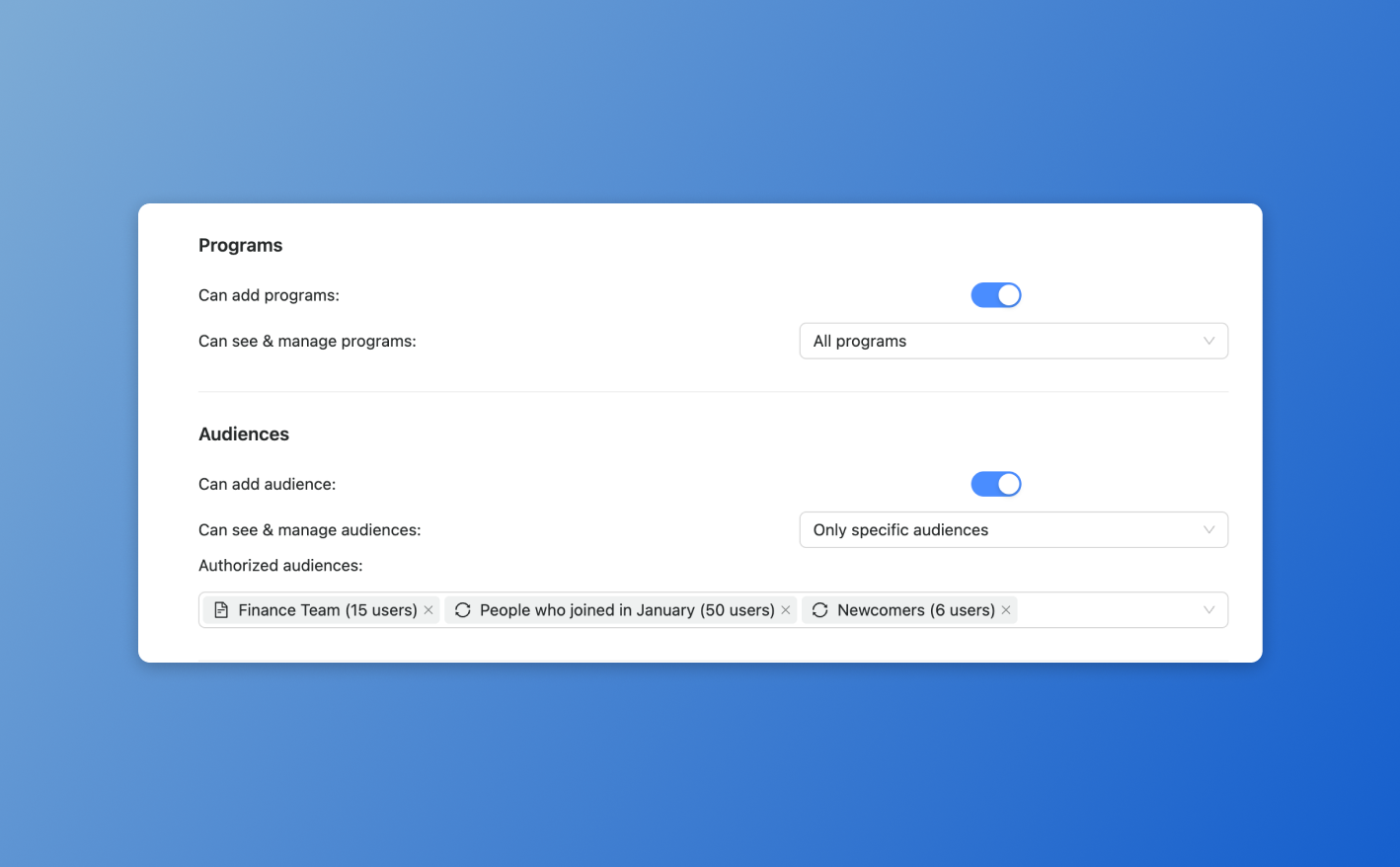
Advanced permission control on audiences 👥
The permission system has been upgraded to allow more granular access management.
You can now:
Define exactly which audiences an administrator can access
Restrict management rights to specific audiences
Adapt permissions based on roles and responsibilities
This update strengthens governance and security across your organization.
New Features
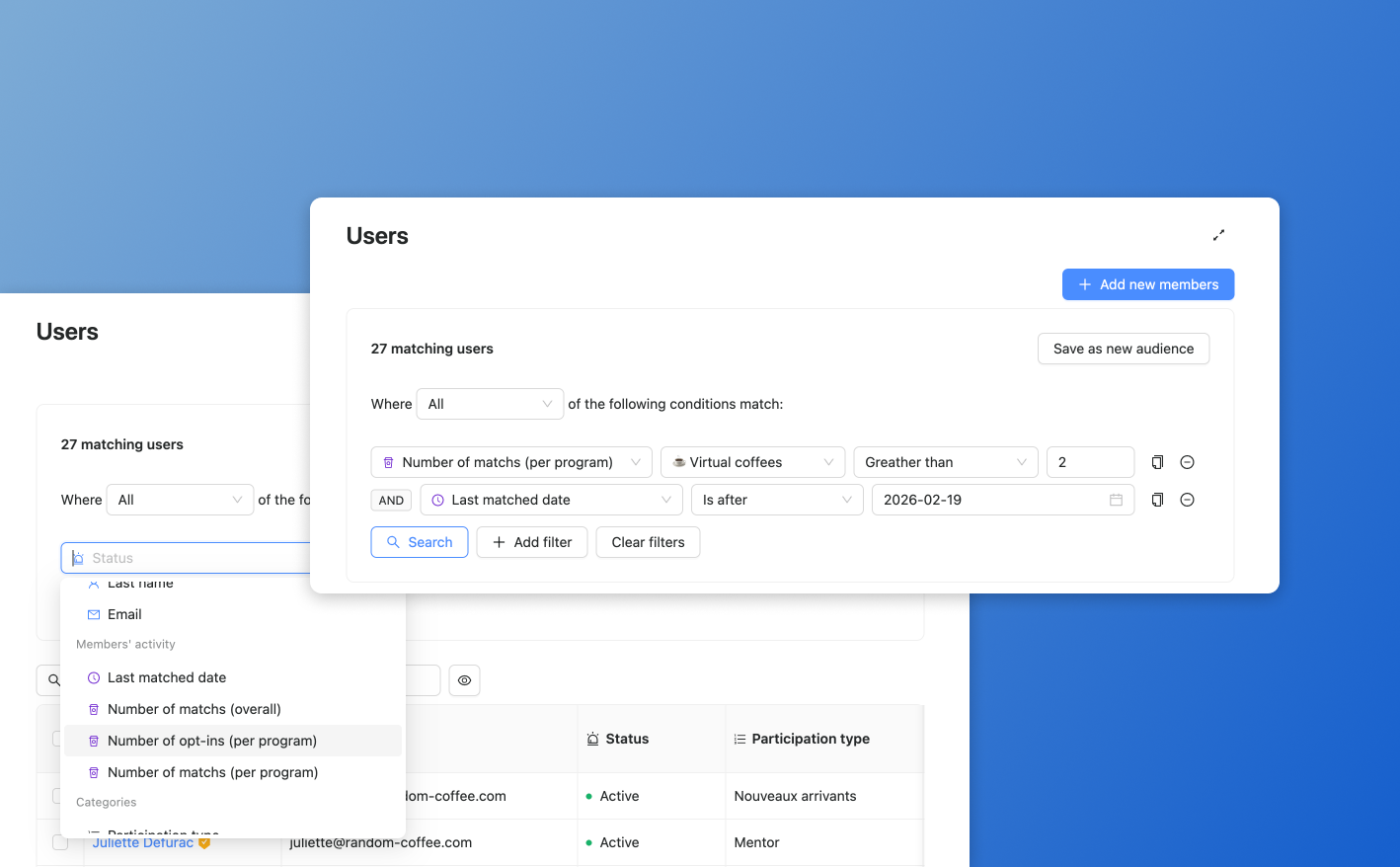
New behavioral filters for audiences 🪄
We’ve added behavior-based filters in the Audiences section!
You can now build audiences based on:
Number of participations (per program)
Last matched date
Other activity indicators
It's prefect for use cases like:
Identifying members with more than 5 participations
Creating an audience of users inactive for a long time
A powerful way to better manage engagement!
Improvements
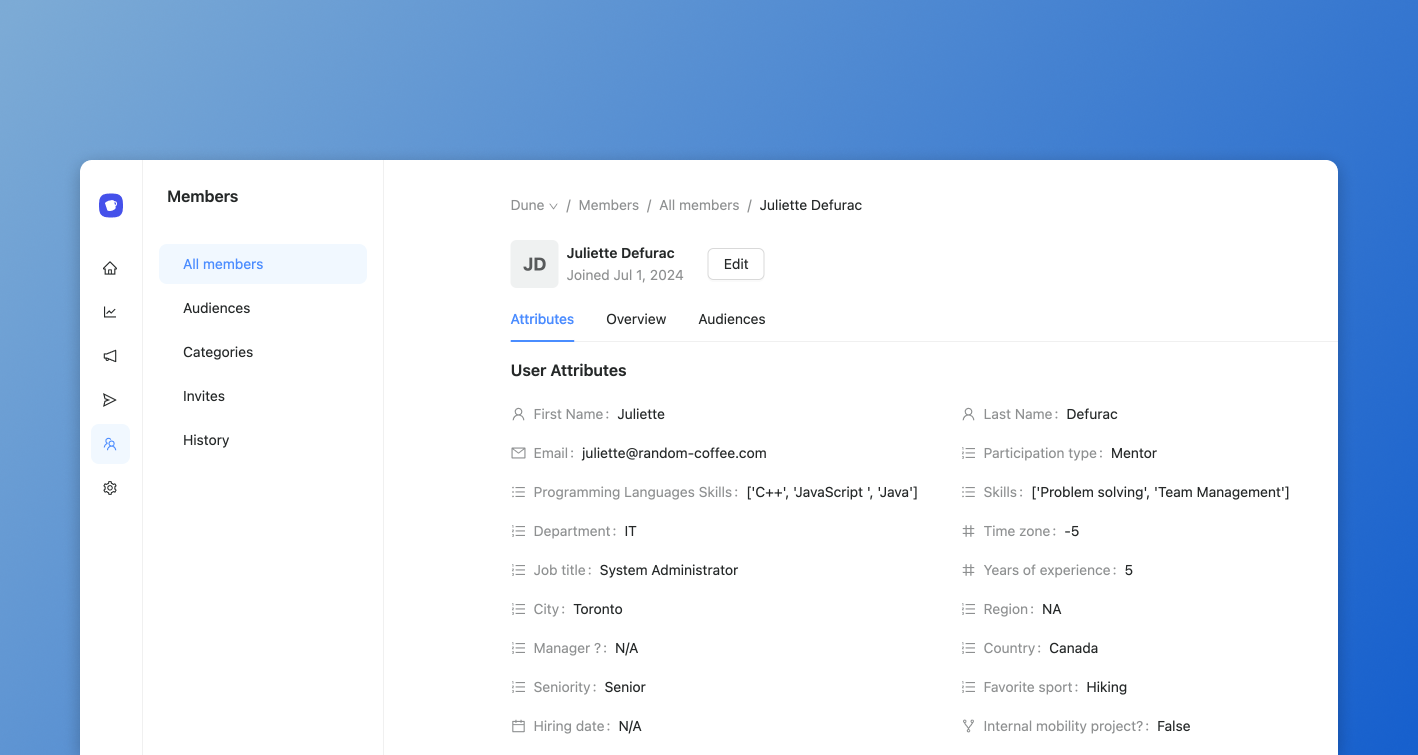
New member profile interface ✨
The user profile page has been fully redesigned to improve data visibility and management. You can now:
Manage user attributes more easily
Quickly review member activity
See in one click which audiences a user belongs to
Designed to streamline your day-to-day member management.
New Features
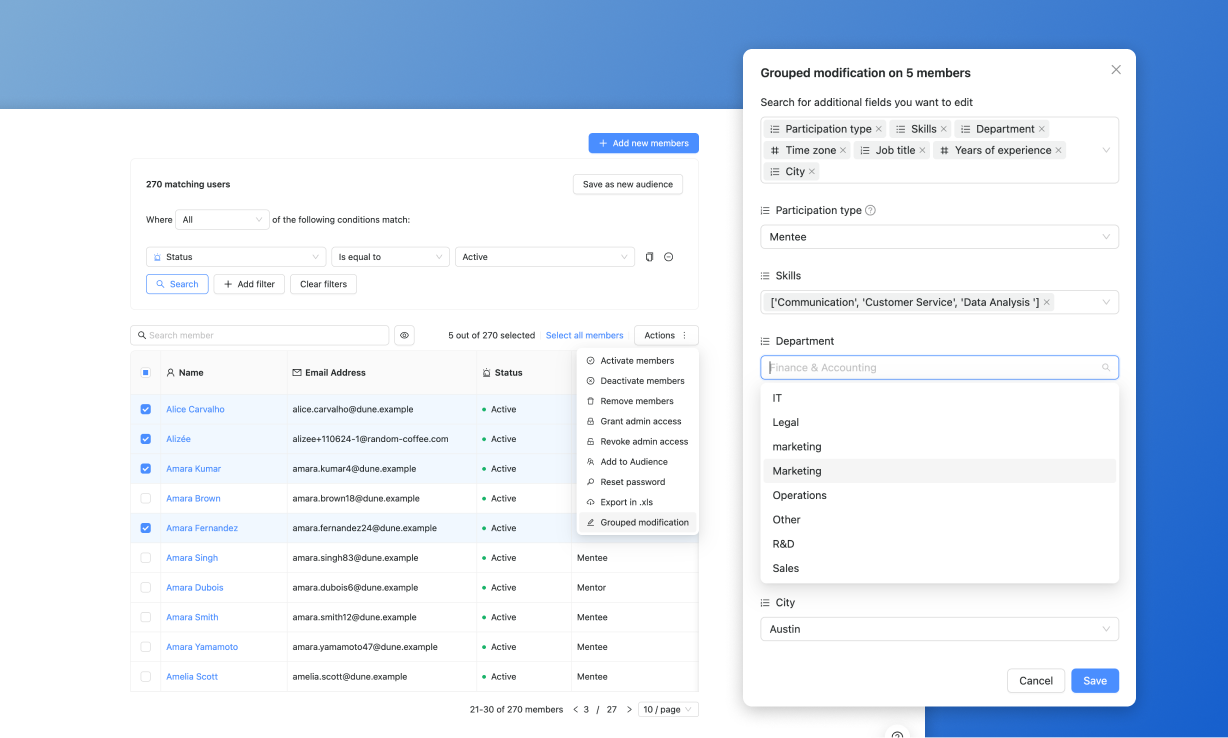
Grouped modifications on members 👥
We’ve added a new feature to make grouped modification easier on member’s info. It’s now fast & simple to edit multiple categories on several members in one shot !
Hope you will like it!
Improvements
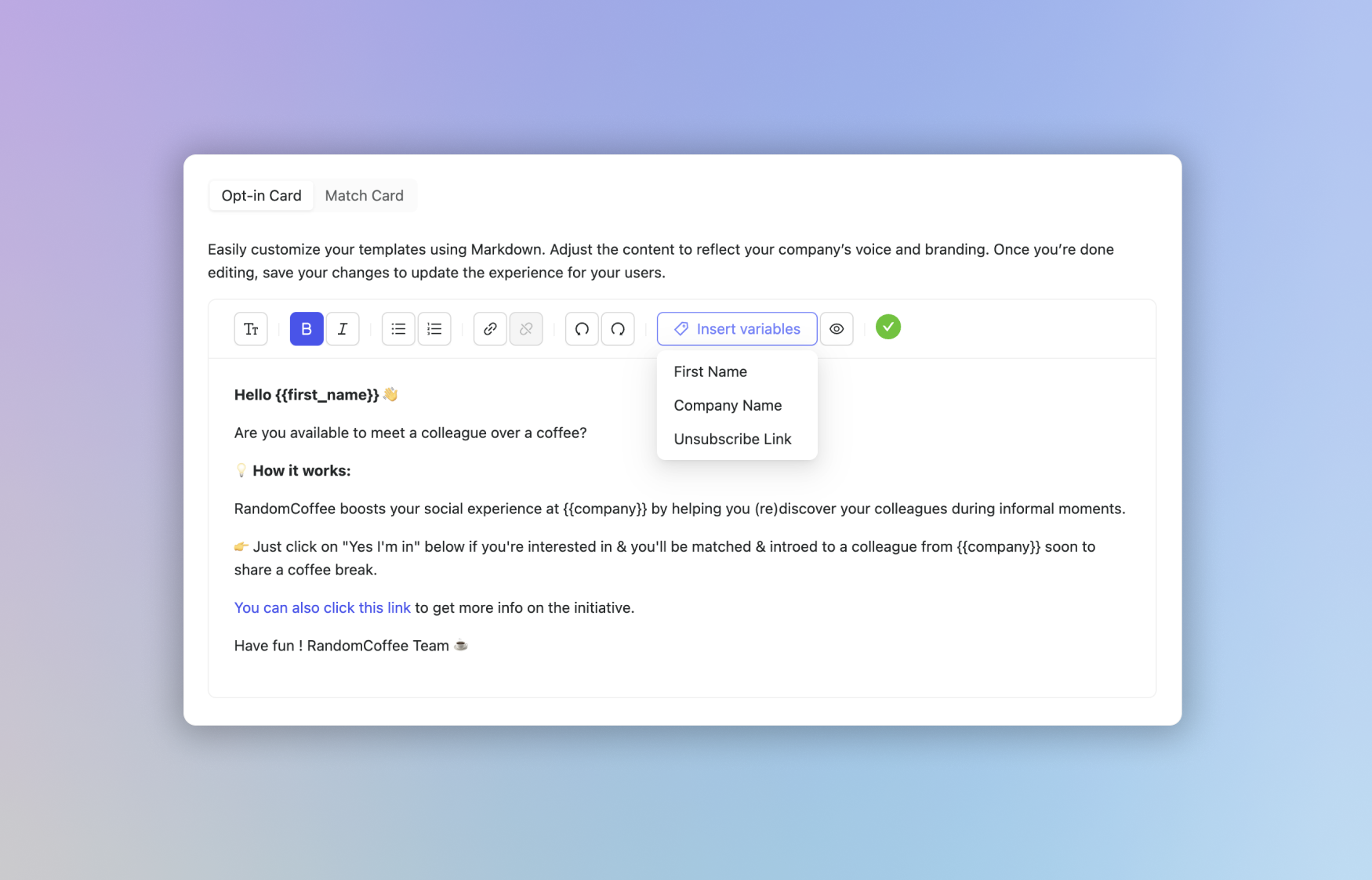
New editor for message cards 🪄
Say hello to our brand new editor for Slack & Microsoft Teams message cards!
Add styling and text levels easily for a clear content
Add links and emojis for a vibrant contents that fit your culture
Insert variables for optimal customization and people engagement
We can't wait for you to try it out in the app, see you soon!
New Features
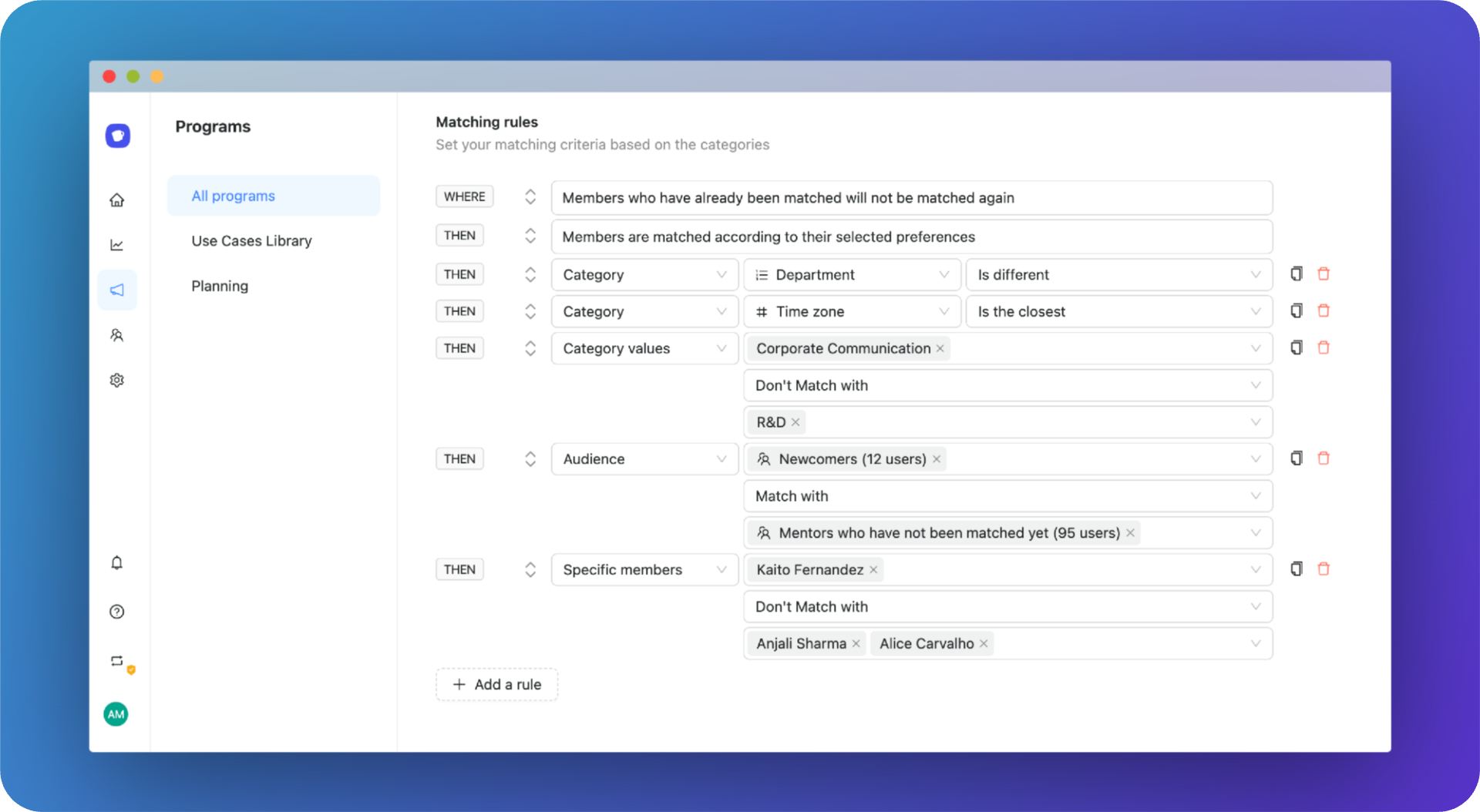
🔗 New matching rules component
We refactored the matching rules creation experience into programs in order to benefit of last audience updates and add new possibilities:
Admins can now define how much you want to apply user’s preferences
Admins can now define how mush they want people who met already not to be matched again
New Features
👥 Say hello to audiences!
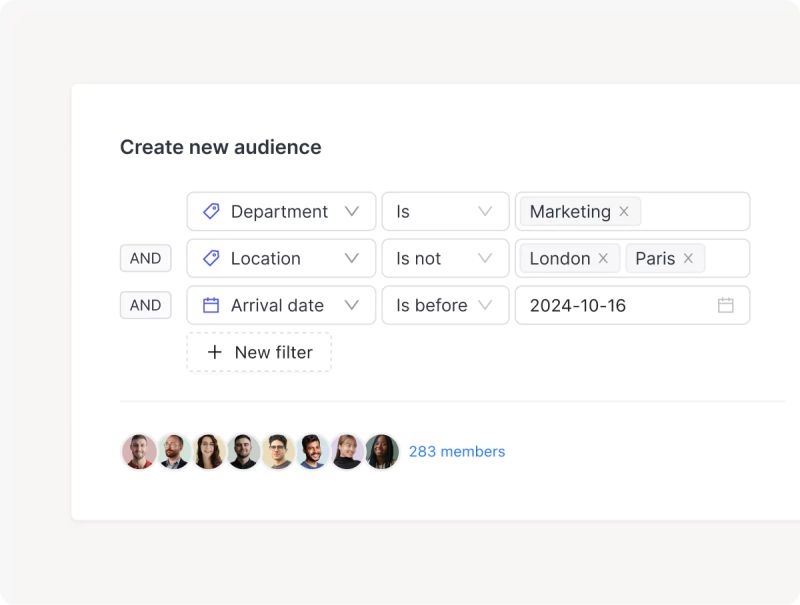
Audiences composant brings way more opportunities and flexibility for people & program management. Create audiences in one click and use it into your programs to unlock new possibilities like:
Set advanced filters on categories with AND/OR logics to get precise & relevant populations
Create dynamic audiences that automatically includes and refresh members according to your criteria
Create audiences based on behavior like participation and/or numbers of random coffees
New Features
✅ ISO 27001 certification
We obtained the ISO 27001 certification as a new proof of high commitment of RandomCoffee in security and privacy.
New Features
📋 Mandatory categories in invite forms for members
It’s now possible to set categories as required to fill for members when joining the workspace to improve member’s data enrichment and keep members categories updated.
Improvements
👋 Onboarding experience improvements
We released some minors onboarding improvements such as optimizations in the signup experience and in.app guidance at first login to improve people onboarding and program creation.
Improvements
⚡️ Algorithm performance optimization
We made major technical changes to generation delay and loadings when manipulating large amount of members and generating matches on massive populations.
We also improved time-to-results on our matching algorithm to provide consistent matches in a reduced time with same complexity.
New Features
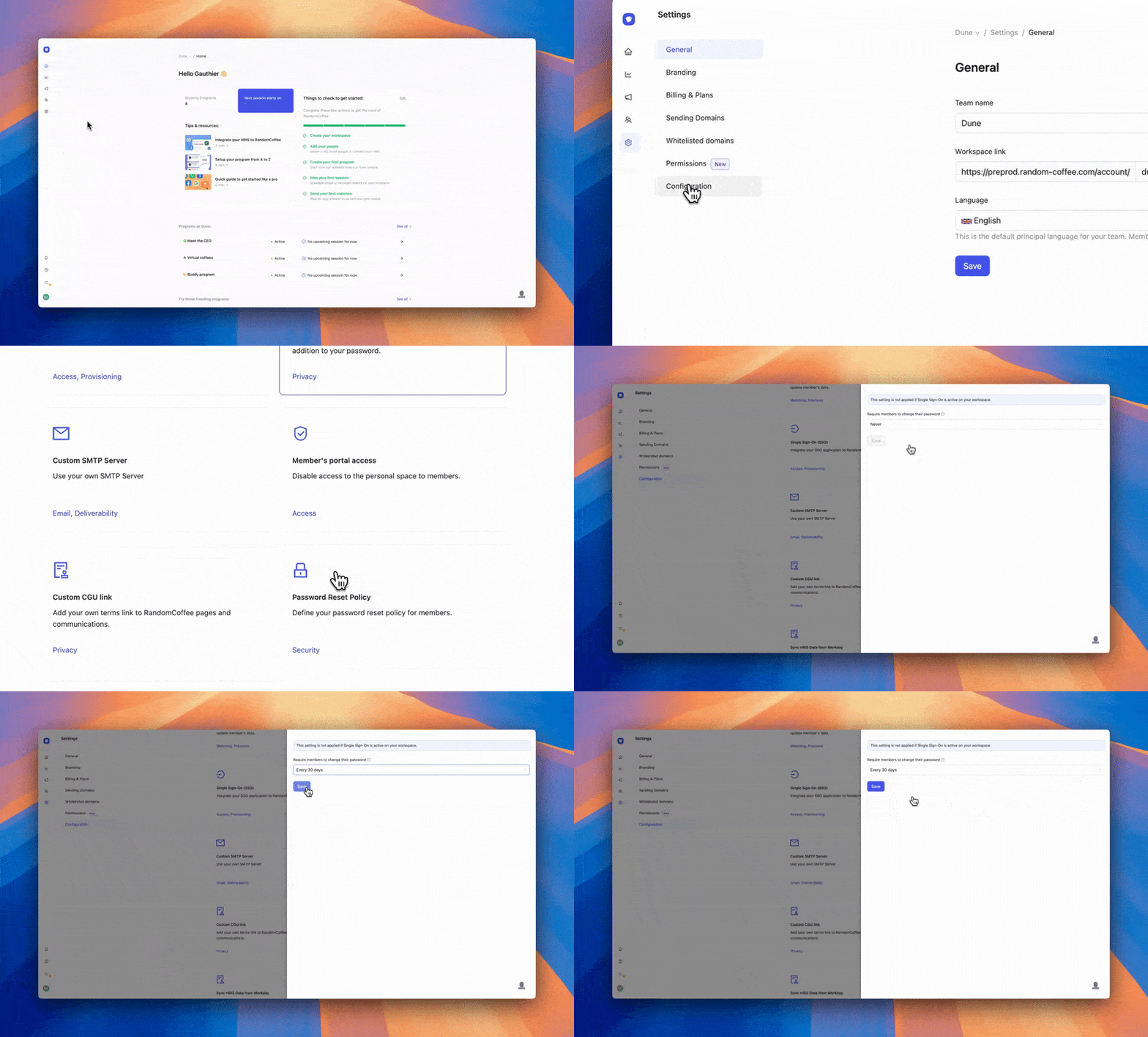
🔐 Mandatory periodic password reset
You can now define a period after which your members must update their RandomCoffee password.
One more step towards security thanks to a reinforced password policy!
New Features
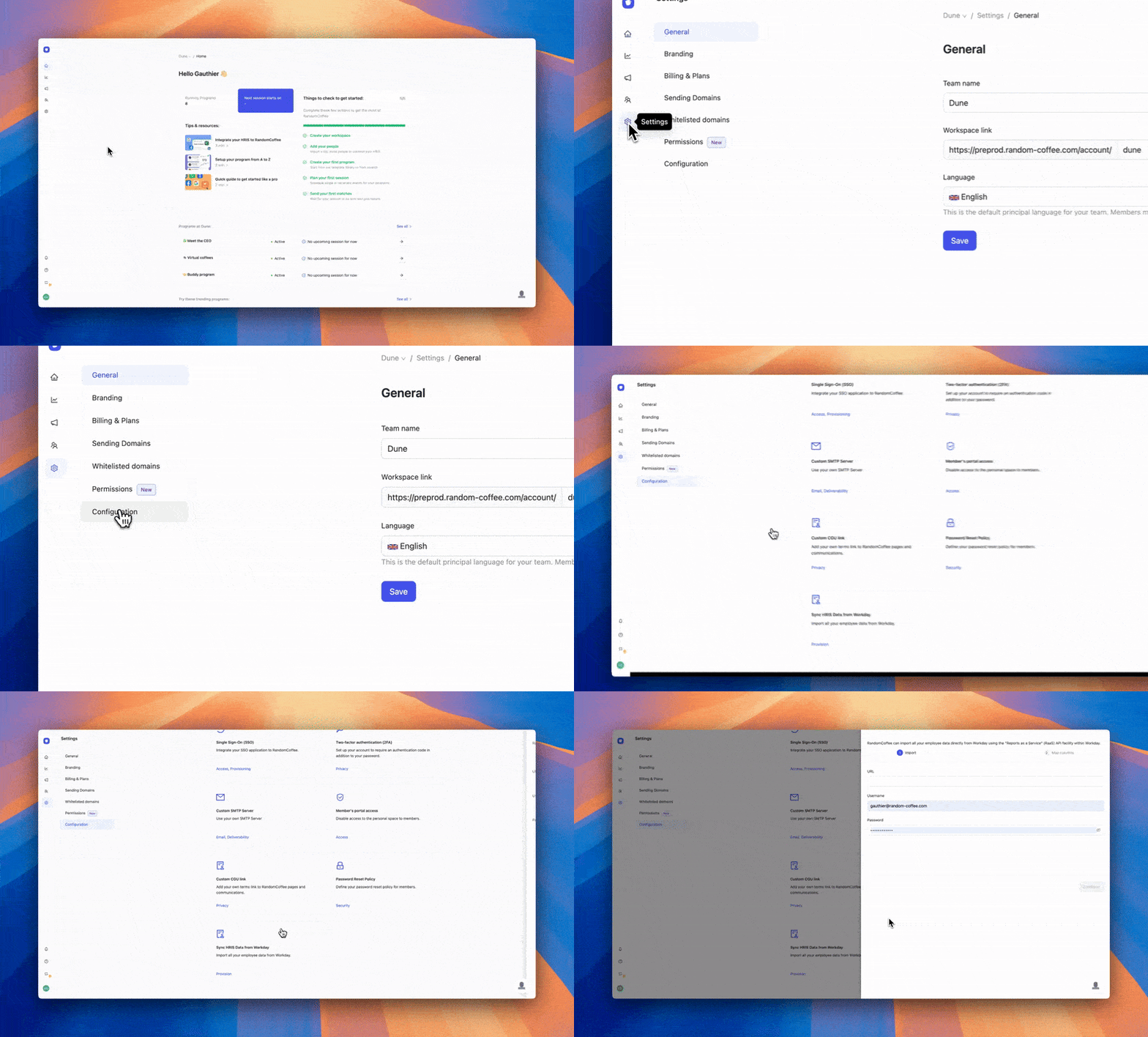
🔄 RaaS synchronization with Workday is available!
It is now possible to import members automatically and securely via the RaaS protocol from Workday.
It's even easier to manage your members on the platform!
New Features
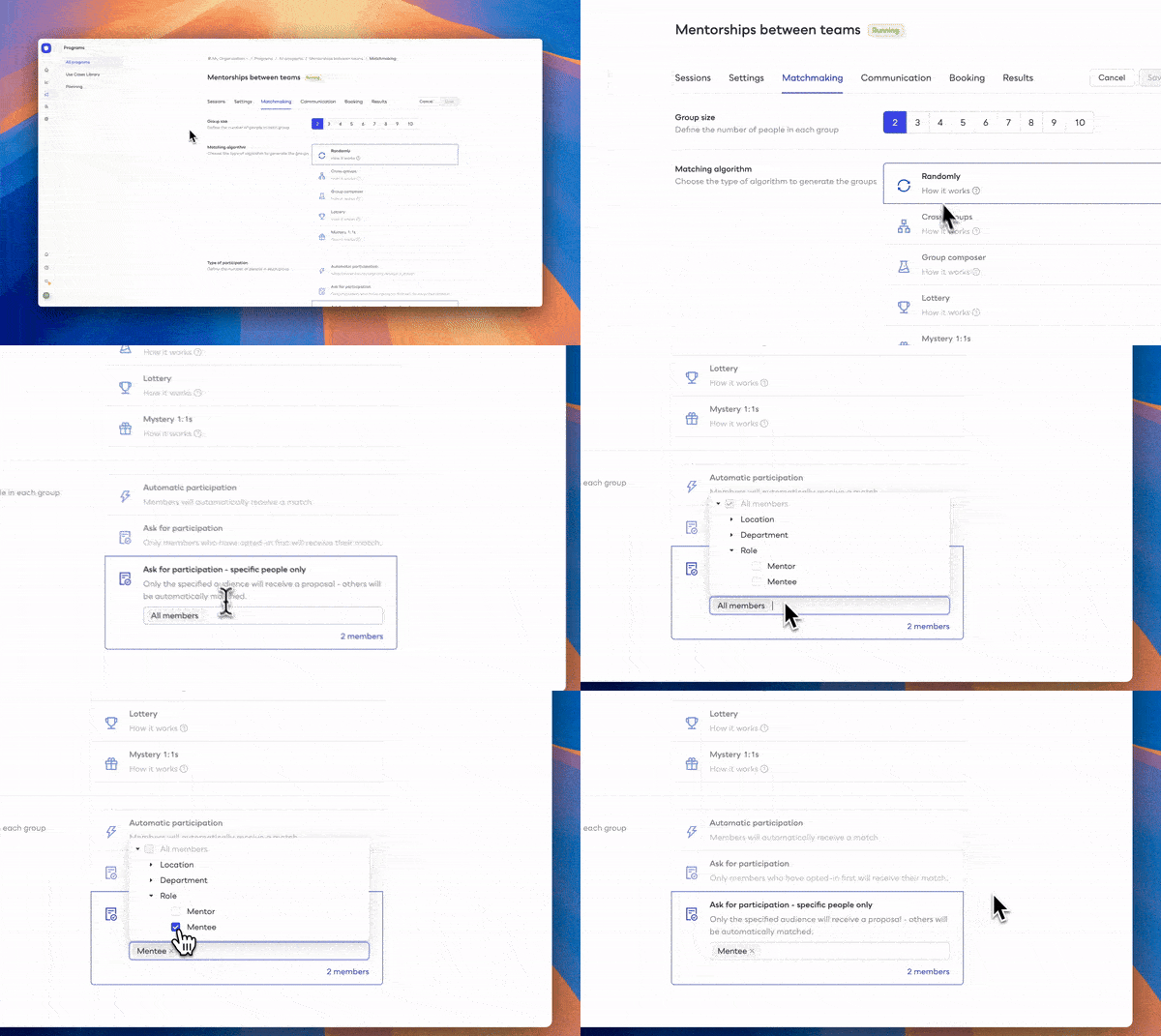
📋 Ask participation to specific people only
You can now request participation only for a specific audience part of your program. Other people will participate automatically.
For example “only mentees” (and not mentors) for a mentoring program.
Perfect if you want only a specific portion of participants to be volunteer-based 👌
I hope you enjoy it! 🎉
New Features
🎥 Google Meet links are here!
Meetings now automatically contain a Google Meet link for users who have set up their google calendar.\ \ You can go directly to this meeting room with your match and/or modify the meeting if necessary!\ \ Hope you will enjoy it! 🎉
New Features
The matching algorithm becomes even more powerful! 💪
You can now choose precisely how you want to distribute the remaining people based on your defined group size.\ \ Hope you will enjoy it!
New Features
Calendar integrations are live! 🎉
A few weeks after the release of the bookings feature, you can now connect your agenda to randomcoffee!\ \ 📆 Plan your randomcoffees more easily\ 🤝 Get rid of incompatible slots with other participants\ ⏱️ Respect your agenda availabilities and restrictions \ \ Hope you will enjoy it!
New Features
✨ Interface's new look for members
\
\
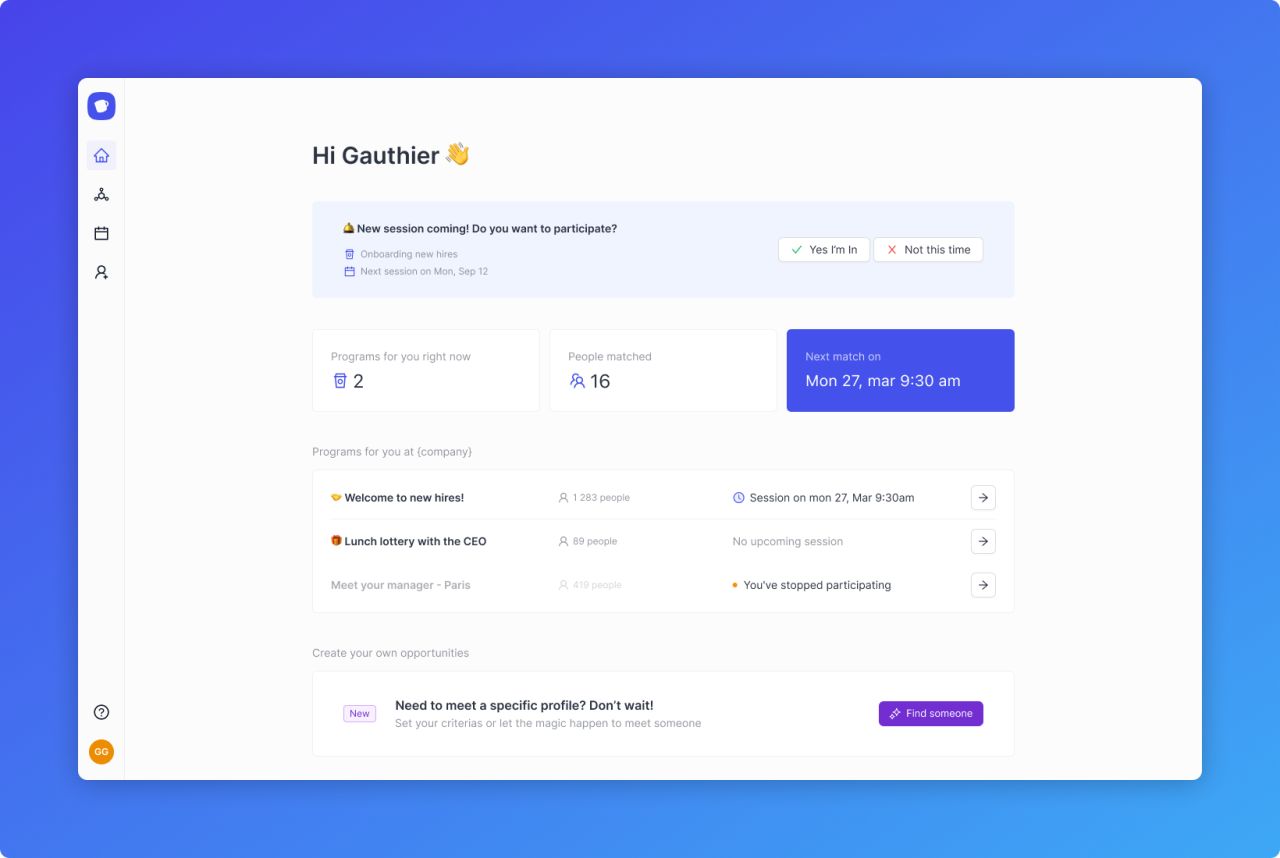
We've redesigned the interface to maximize functionality and clarity on upcoming events, action items and activity notifications for members.\
\
This upgrade will make it easier to organize activity and program participation for members!\
\
Hope you will enjoy it! 💥
New Features
Calendar bookings are live! 🎉
\
\
Enable your users to effortlessly schedule their random coffees with just one click!\
\
📆 Include a link to our scheduling page in your messages\
🪄 Personalize events and keep track of the number of meetups\
⏱️ Users can seamlessly integrate their calendars and availabilities into the app\
\
We hope you enjoy this new addition!
New Features
Say hello to HRIS integrations!
\
\
We are thrilled to announce that RandomCoffee is now integrated to 50+ HRIS systems to take user management to the next level! \
\
* ⚡️ Connect your HRIS in one click & import all your people data in seconds
* 🔄 People updates, arrivals & departures, synched automatically into RandomCoffee
* ⏱️ Say farewell to manual uploads and hours of user management\
\
Don't wait! Enable HRIS integration to your account and save time & energy with user management to focus on creating meaningful connections!
New Features
Multi-types categories are here!
\
\
You can now create multi-type categories in the app like short texts, dates, booleans and multiple choice dropdowns. \
\
🔗 For now you can use these new formats in your invite links and we will make it accessible into matching rules soon to push matching to a next level! \
\
Stay tuned!
New Features
Reveal your dark side!
\
\
🌙 We added a dark mode to RandomCoffee, making the app more friendly to use for dark mode lovers and late-sleepers. Hope you will enjoy it!
New Features
🚀 Our new Microsoft Teams integration is here! 🤝
\
\
We are thrilled to announce our latest upgrades in enhancing your team's collaboration and connectivity: the new version of the Microsoft Teams integration! \
\
🔗 Set advanced matching rules \
\
💬 Chat & Schedule your meetup in one click \
\
🌐 Build on your existing communities \
\
📢 Don't wait! Elevate your team's collaboration and foster connections with the RandomCoffee integration for Microsoft Teams. Start creating meaningful connections today!
New Features
🚀 Exciting Update: Introducing Organizer option in Match Email Templates! 📧
\
🌟 Say hello to the "Organizer Option" in our match email templates \
\
🔧 With the Organizer Option, you now have even more control and personalization when crafting match emails. This feature allows you to dynamically include the organizer's name, making your communication more engaging and authentic. \
\
📌 Key Benefits:\
\
✨ Professional Touch: Elevate the professionalism of your emails by highlighting the organizer's involvement.\
\
✨ Improved Communication: Enhance the clarity and context of your messages, driving better engagement and participation.\
New Features
⚙️ RandomCoffee Introduces Slack Integration for Seamless Collaboration and Connection
\
Now, you can take your social connections and collaboration to a whole new level. Say goodbye to missed opportunities and hello to a dynamic and engaging RandomCoffee experience right within your favorite Slack channels. \
\
Here's what you need to know about the exciting new Slack integration: \
\
🔀 Seamless Transition: \
\
🕹️ Interactive Match Notifications:\
\
🤝 Collaborative Card Sharing:\
\
✔ Automatic User Sync: \
\
🎯 Targeted Audience Selection:\
New Features
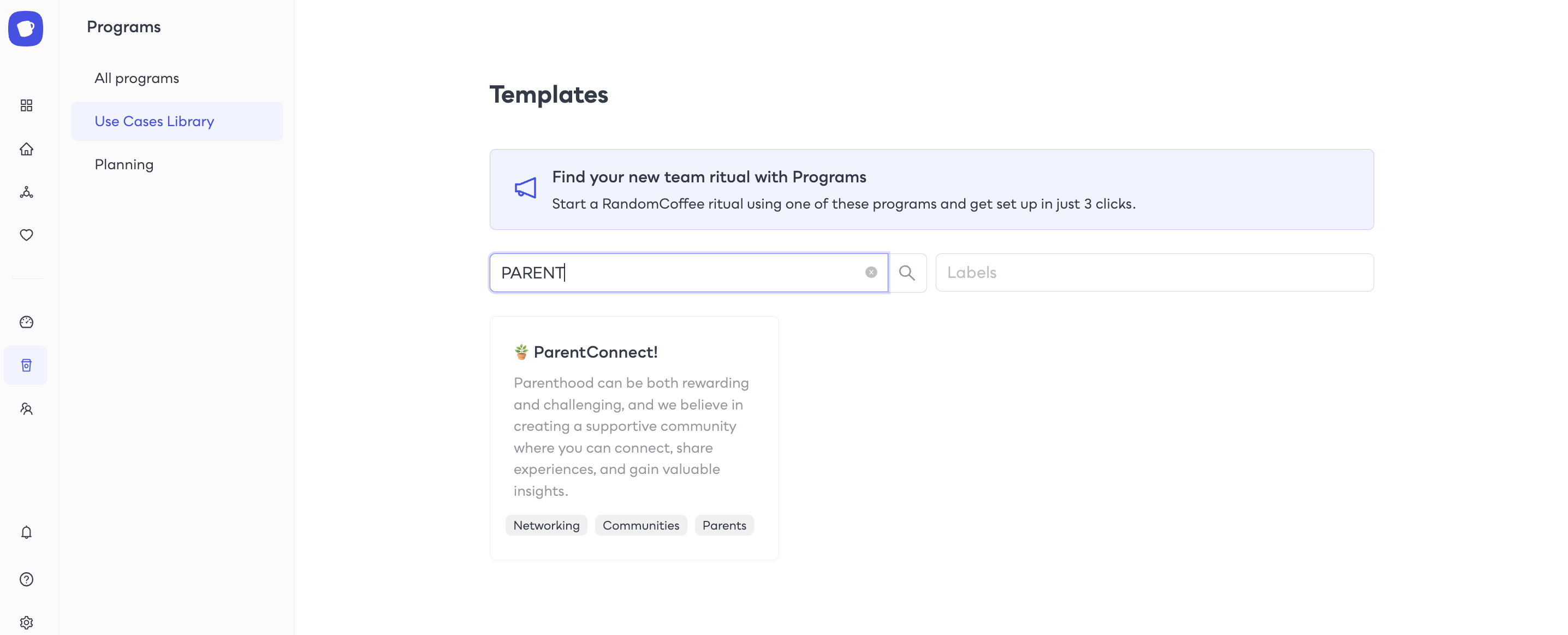
🌟 Introducing ParentConnect - Unlocking the Power of Parenting Connections!
Key Highlights: \
\
🤝 Connect with a Community \
\
💡 Share Experiences \
\
❤️ Find Support and Empathy \
\
⚖️ Achieve Work-Life Balance \
\
Let's celebrate the joys of parenting together through ParentConnect, building a stronger and more connected community within our organization! \
\
New Features
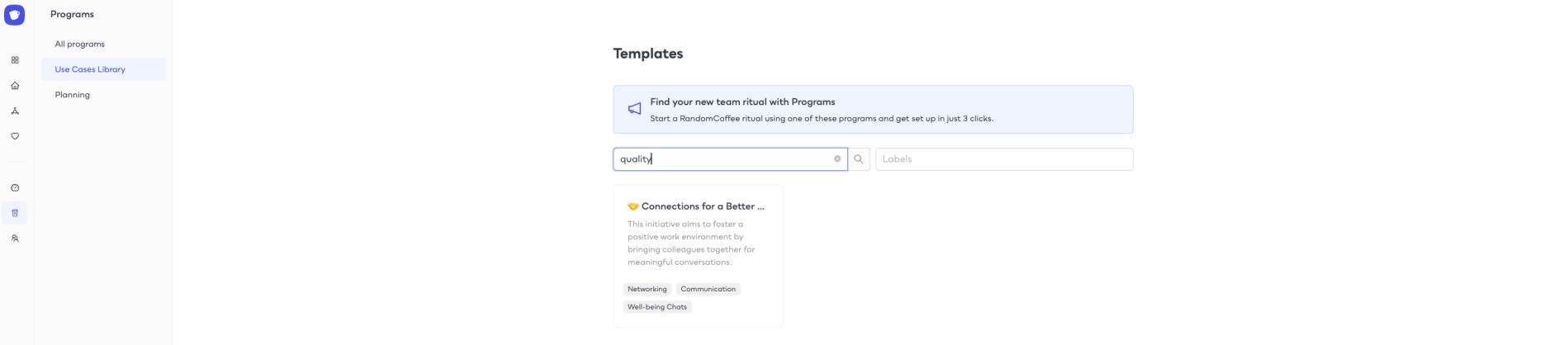
🆕 Introducing Connections for a better workplace program!
Key Program Highlights: \
\
Connect Across Departments: Foster collaboration and knowledge sharing by connecting with colleagues from different teams. \
\
Promote Well-being: Address work-life balance, stress management, and well-being topics to create a supportive work culture. \
\
Virtual Coffee Chats: Engage in casual conversations and networking opportunities to build strong relationships beyond traditional work settings. \
\
Thought-Provoking Conversation Starters: Kick-start meaningful discussions with our curated conversation starters, promoting insightful exchanges. \
\
New Features
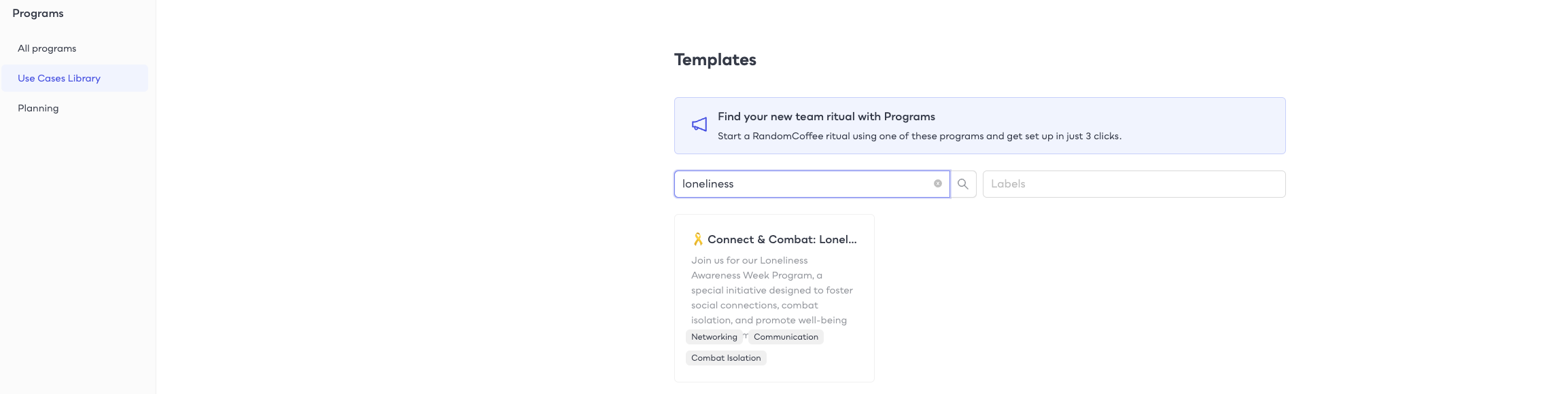
📣 Exciting Announcement: Introducing the "Connect & Combat" Program!
Here's what the "Connect & Combat" program offers: \
\
Thoughtfully matched coffee chats with colleagues who have also opted to participate.🤝 \
Scheduling flexibility to accommodate busy schedules during Loneliness Awareness Week. 🌈\
Conversation starters related to the theme of loneliness awareness to help kick-start meaningful discussions. 🌟\
\
New Features
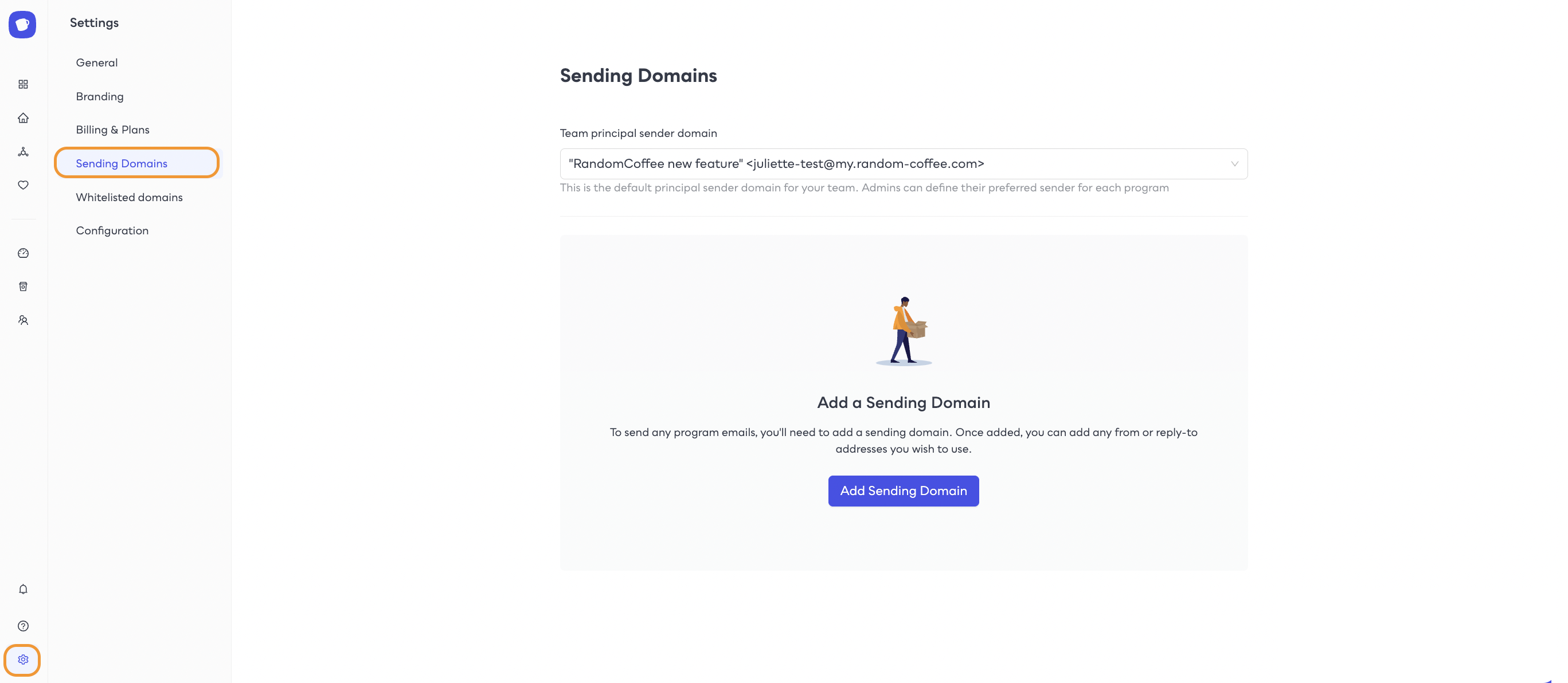
📢 Custom Sending Domains now have a dedicated settings section!
We're thrilled to introduce a sleek redesign that brings even more convenience and control to your email communications. \
\
🌐 Dedicated Settings Section: Enjoy a streamlined and centralized space within the settings to manage your custom sending domains effortlessly.\
\
🔒 Simplified Configuration: Set up and verify your domains with ease, ensuring a smooth and secure email delivery process.\
\
New Features
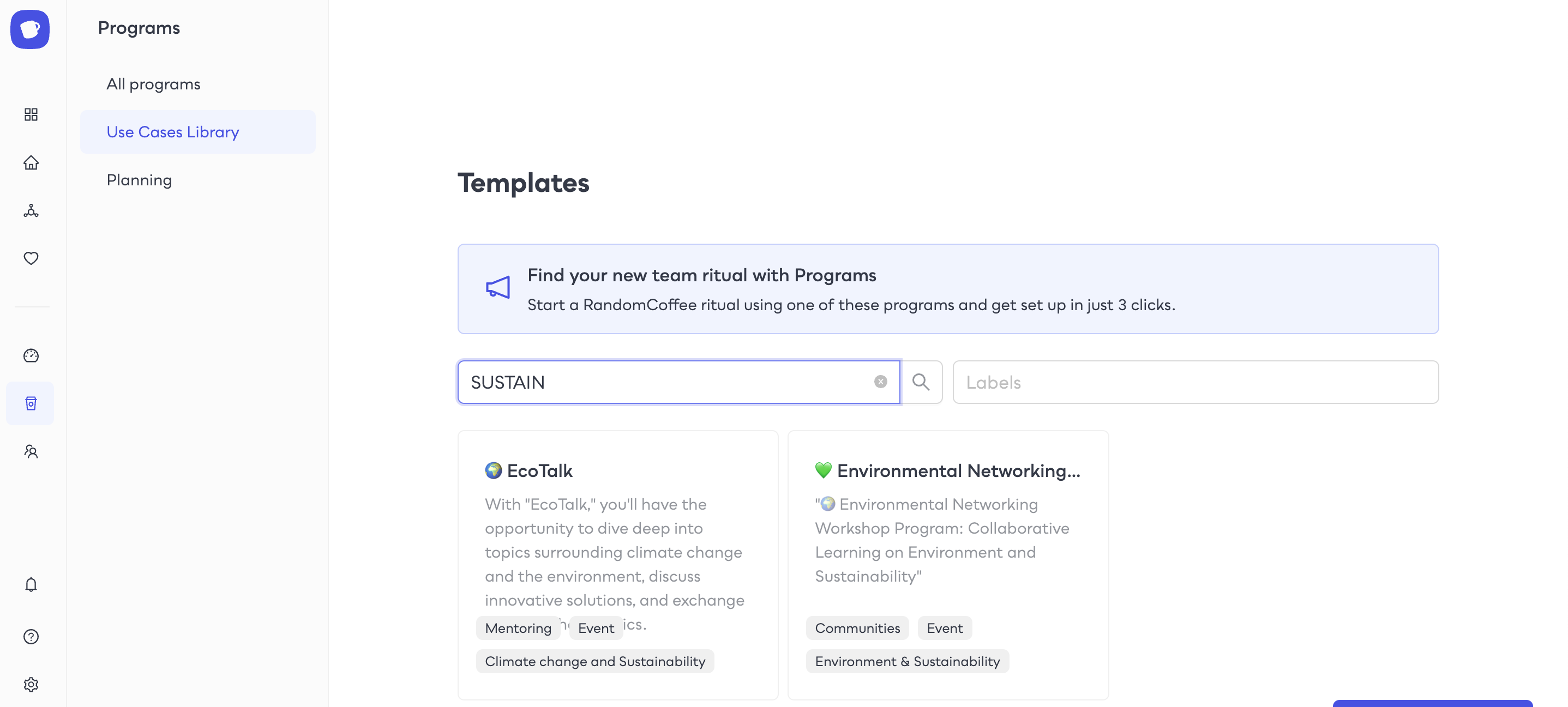
Introducing the World Environment Day Programs: Expand Your Network with RandomCoffee Use Cases! 🌎
We are thrilled to announce the release of our latest addition to the RandomCoffee "Use Cases Library": the World Environment Day Collection! \
\
With a focus on sustainability and eco-consciousness, this collection brings together inspiring programs that allow eco-conscious participants to connect through informal workshops. \
\
New Features
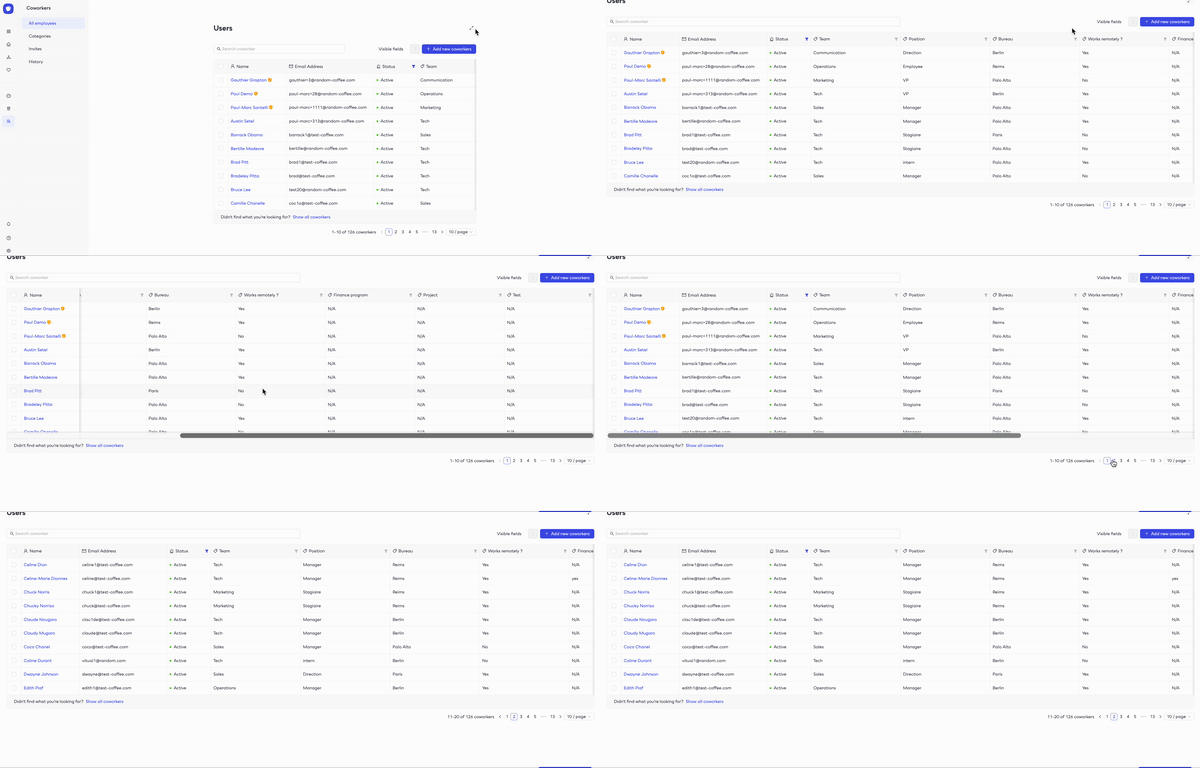
📢 Expanded User List for Enhanced Admin Visibility! 📢
We have expanded the user list functionality for admins, giving them a clearer and more comprehensive view of the platform. \
\
🔍Comprehensive User List: Gain a holistic overview of all users on the platform, empowering admins to have better control and understanding. \
\
🚀 Streamlined Management: Seamlessly navigate through user profiles \
\
New Features
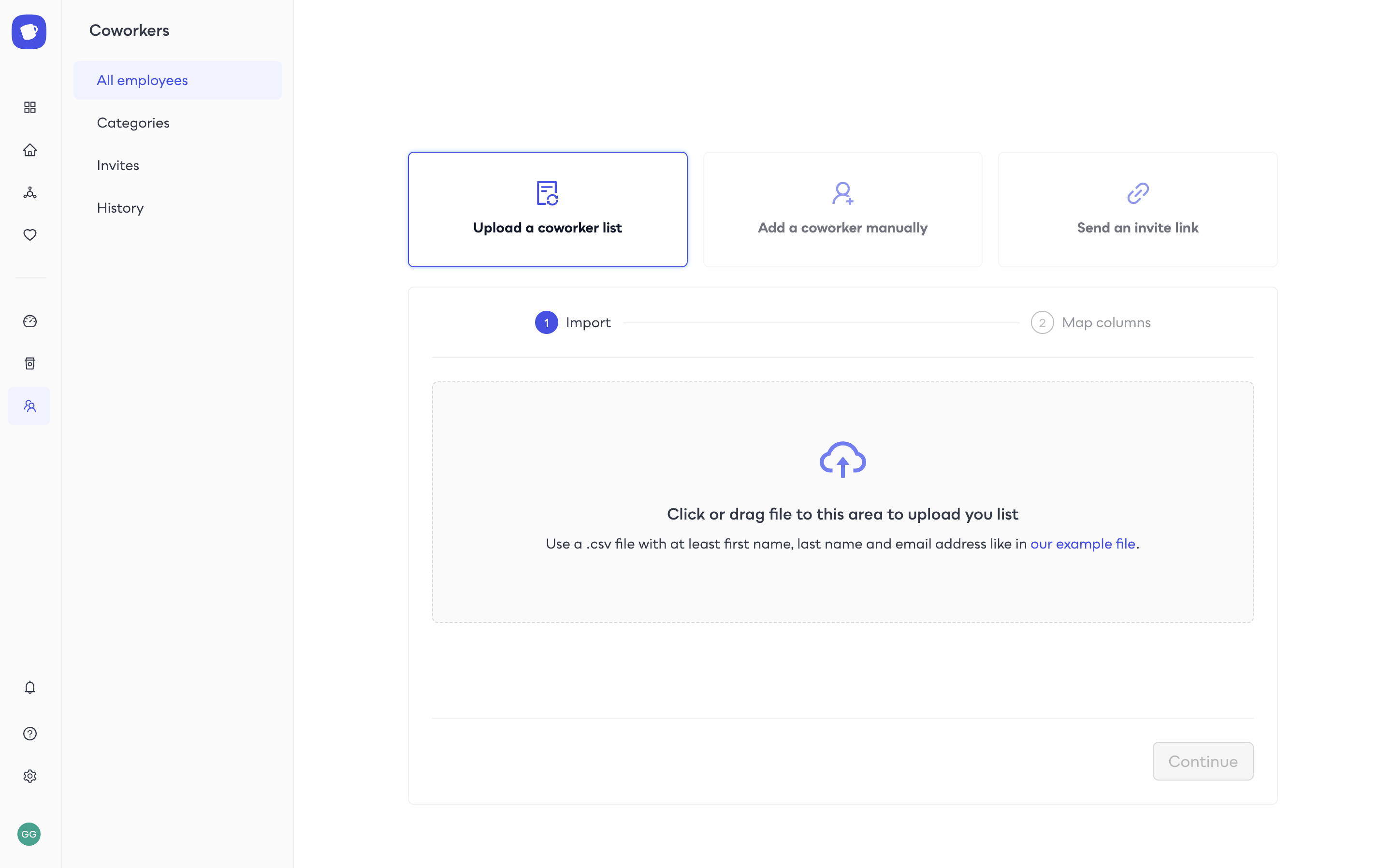
Updated user mass-import features
Randomcoffee has recently updated its bulk user feature, making it easier than ever to expand your team and foster new connections. With clear and concise wording, the new interface streamlines the process of adding new users in bulk. \
\
With the updated wording, you'll be able to navigate the process with ease and start building meaningful relationships in no time. \
\
New Features
Streamline User Management with RandomCoffee's SCIM Provisioning!
Say goodbye to manual user management and hello to seamless collaboration with RandomCoffee's SCIM provisioning! \
\
Our latest feature simplifies user onboarding and offboarding, making it easier than ever to manage your team's access to RandomCoffee. \
\
Streamline your user management and boost productivity with RandomCoffee's SCIM provisioning today!
Improvements
Introducing RandomCoffee's New Admin Onboarding
With our latest update, admins can now seamlessly use the functionalities, allowing them to quickly and efficiently launch programs.\
\
The new guide streamlines the onboarding process, making it easier than ever to manage your team's access and get started with our innovative tool.
New Features
New matching method: CEO Lottery!
With the click of a button, the algorithm generates a fair and unbiased match, providing employees with the unique opportunity to interact with the CEO and gain valuable insights into the company's vision and goals.\
\
Boost team morale and encourage collaboration with this innovative and easy-to-use tool.
New Features
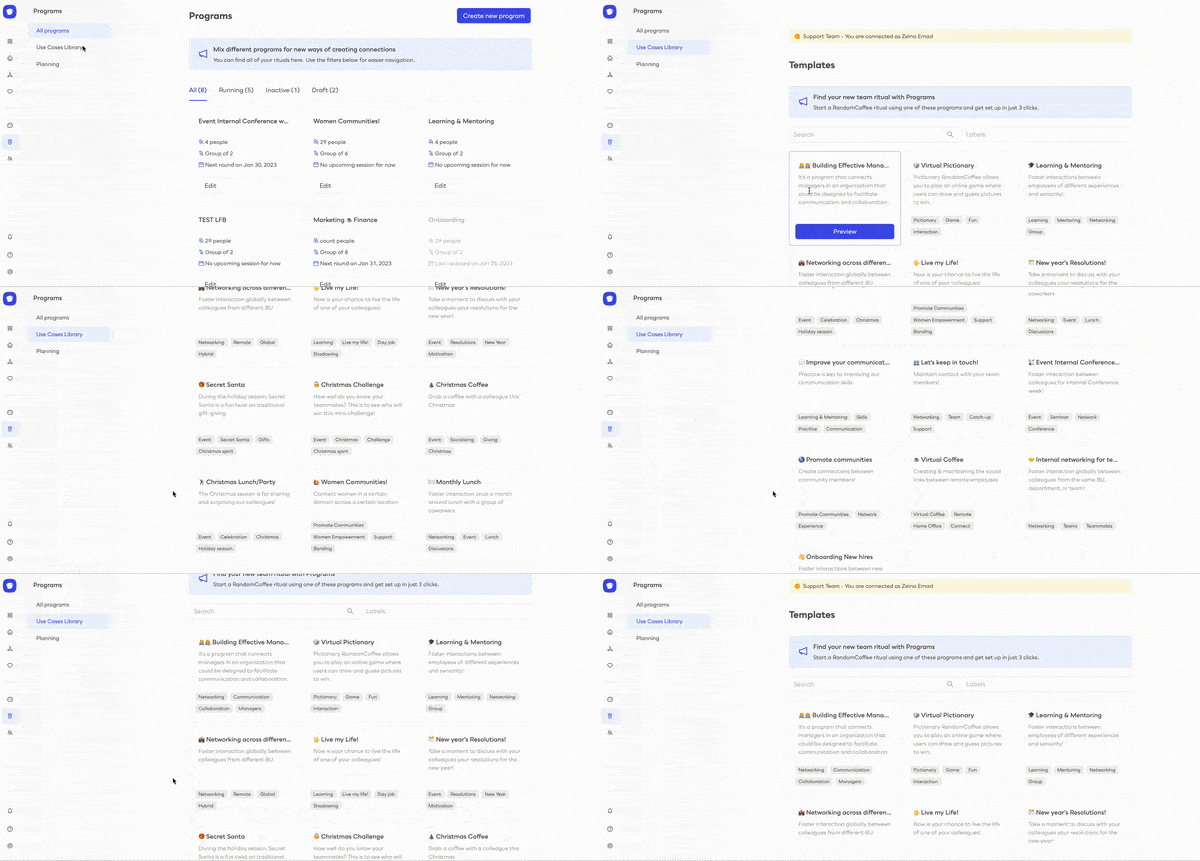
Explore our library of pre-Built use cases!
With the release of Use Cases Library, a comprehensive resource of programs, you will be provided with a great starting point to understand how to create effective programs and apply them to your own projects.\
\
With this library, as admins, you can quickly get up to speed on the fundamentals of programs and begin building your own. We are confident that this library will be a valuable asset to any project you have in mind.\
\
Announcement
Introducing our new brand identity
Introducing the new logo for RandomCoffee, the revolutionary platform that connects employees for a better workplace. Our new design emphasizes our commitment to helping people create meaningful connections in the workplace.\
\
Our bold and modern logo captures our mission to foster collaboration, creativity, and camaraderie in the office.\
\
New Features
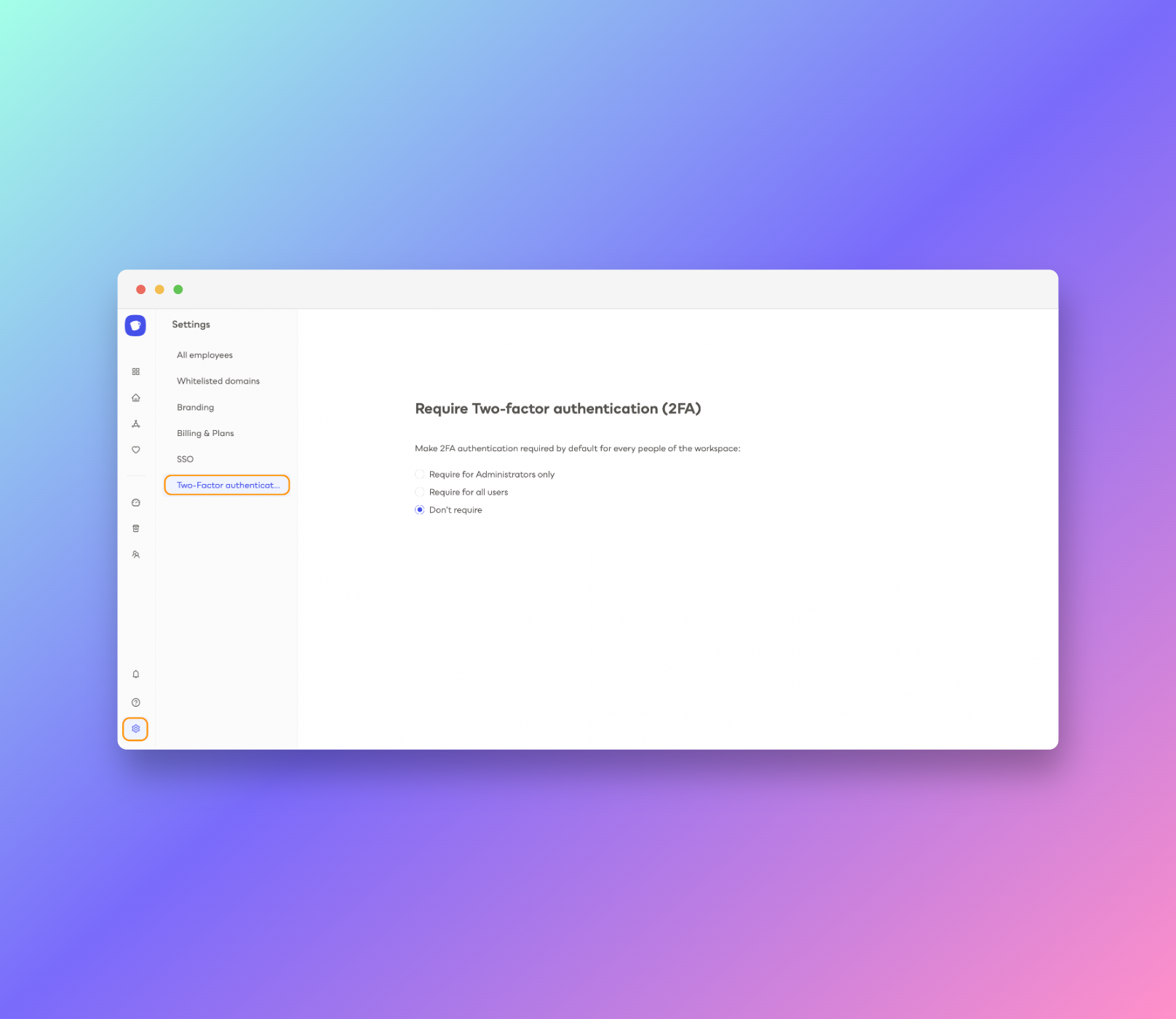
Enabling Multi-Factor authentication for enhanced security
MFA adds an extra layer of protection to your online accounts, making it more difficult for hackers to gain access. With MFA, you will require an additional authentication code to log into your account, providing an extra layer of security and peace of mind.\
\
MFA is easy to set up and use and can be used in combination with a variety of other security measures.\
\
New Features
Introducing Single Sign-On for enhanced security
The release of SSO (Single Sign-On) is a major milestone for our company, and a game changer for our customers.\
\
With SSO, our customers can now access all of their applications and services without having to remember multiple passwords, quickly and securely access all of their data with a single login.\
\
This will reduce the risk of security breaches due to weak passwords.
New Features
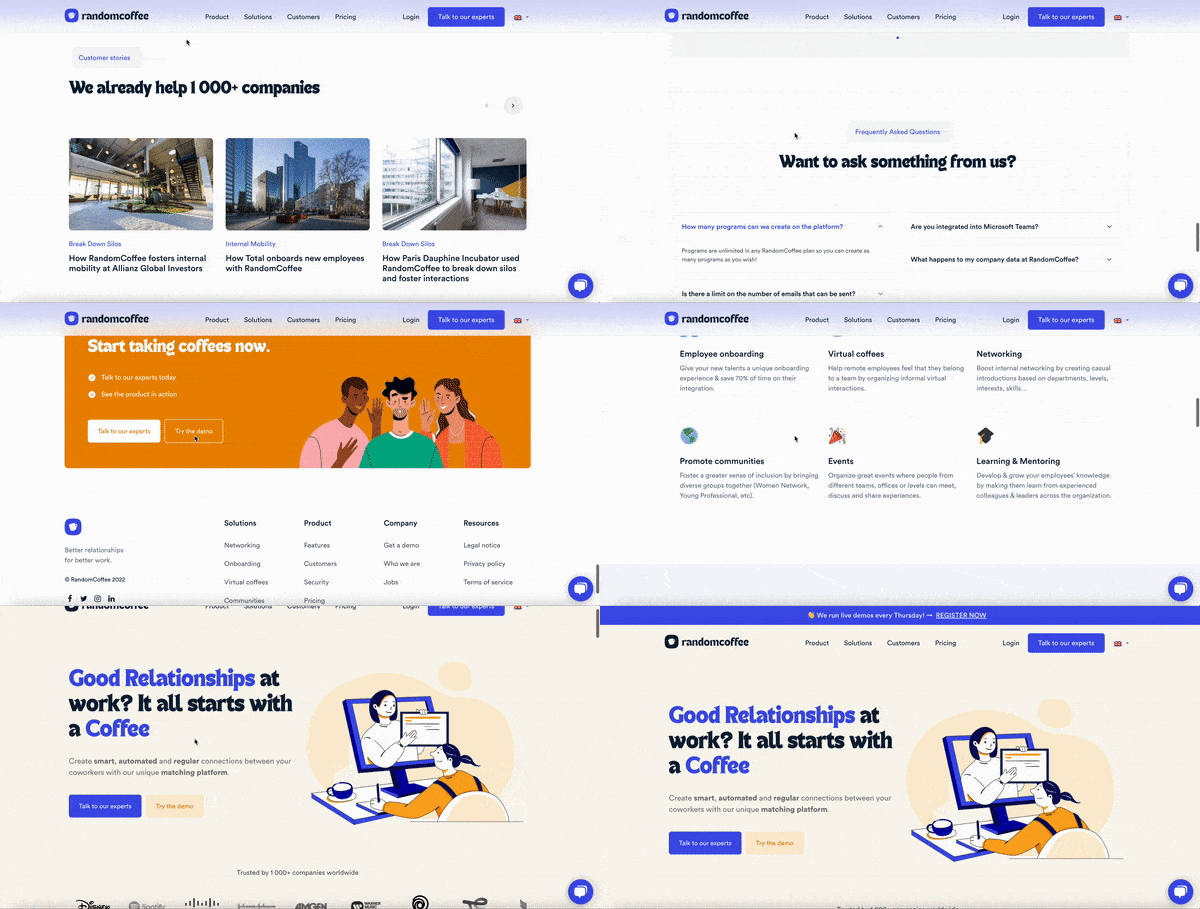
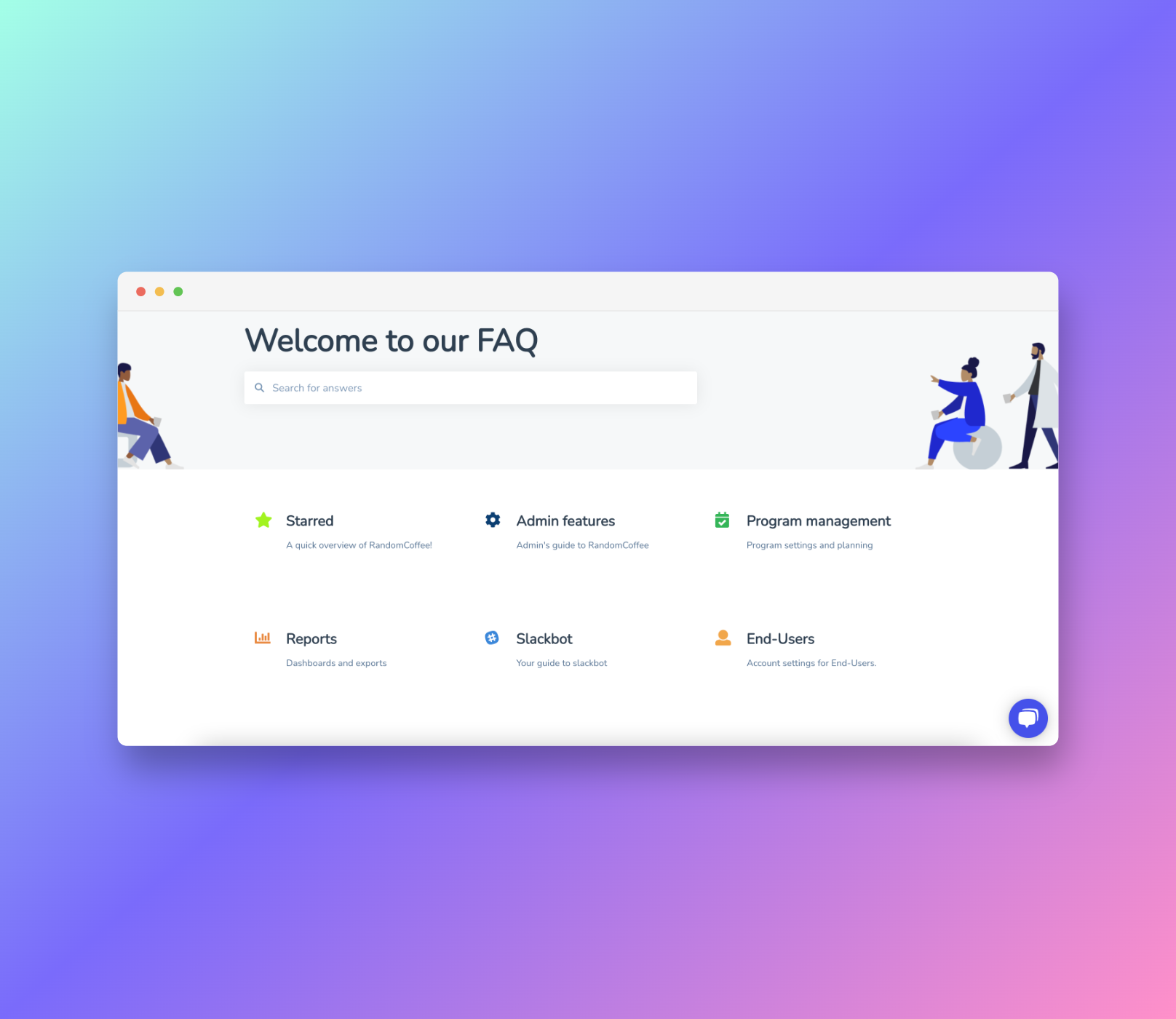
Unlock the power of knowledge with our brand-new knowledge base
Introducing our newly redesigned knowledge center, now more user-friendly than ever before! With easy access through various links in our communications and in-app, finding the information you need has never been simpler.
New Features
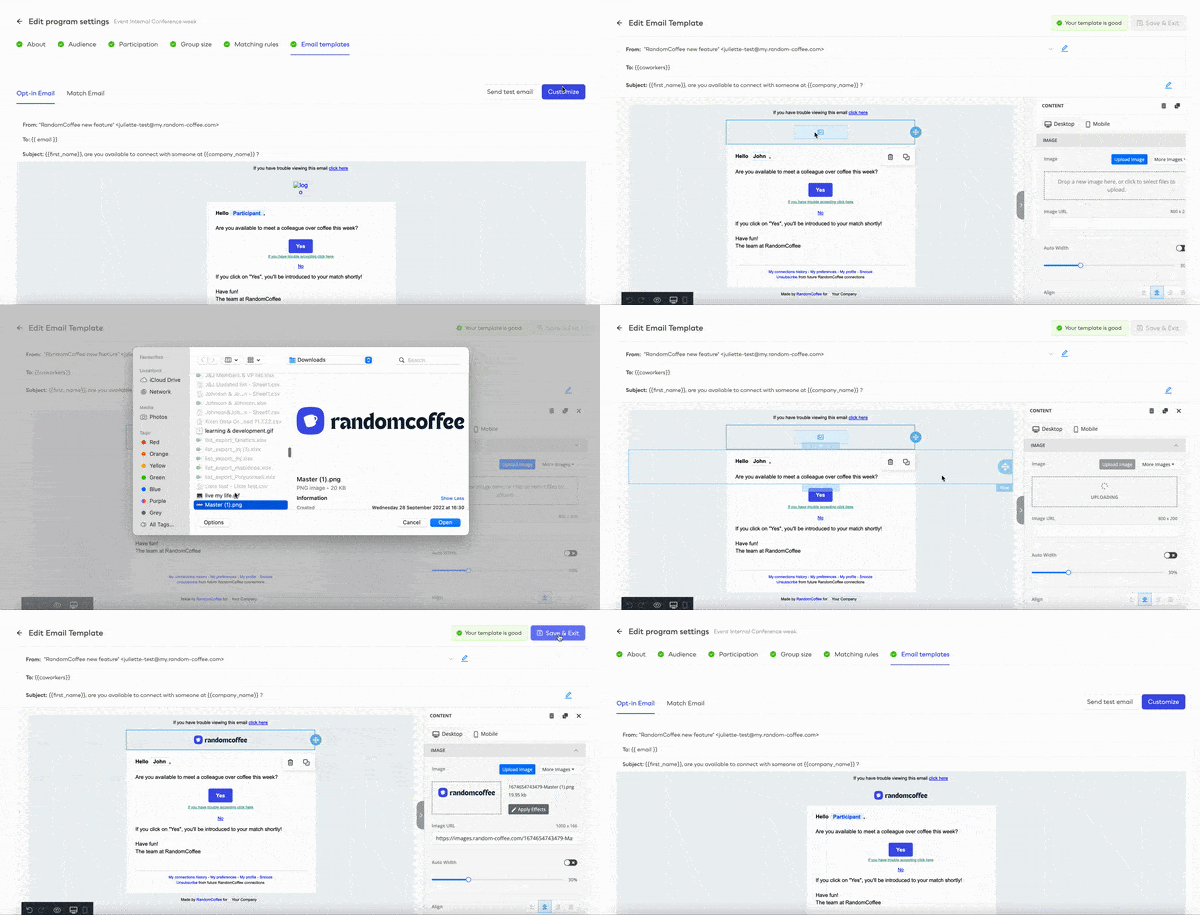
Add your brand logo to your RandomCoffee Emails
With the new update, admins can easily add their brand's logo to the app, allowing them to create a powerful and recognizable presence across their emails and services pages.
Improvements
Program-focused insights with the new dashboard
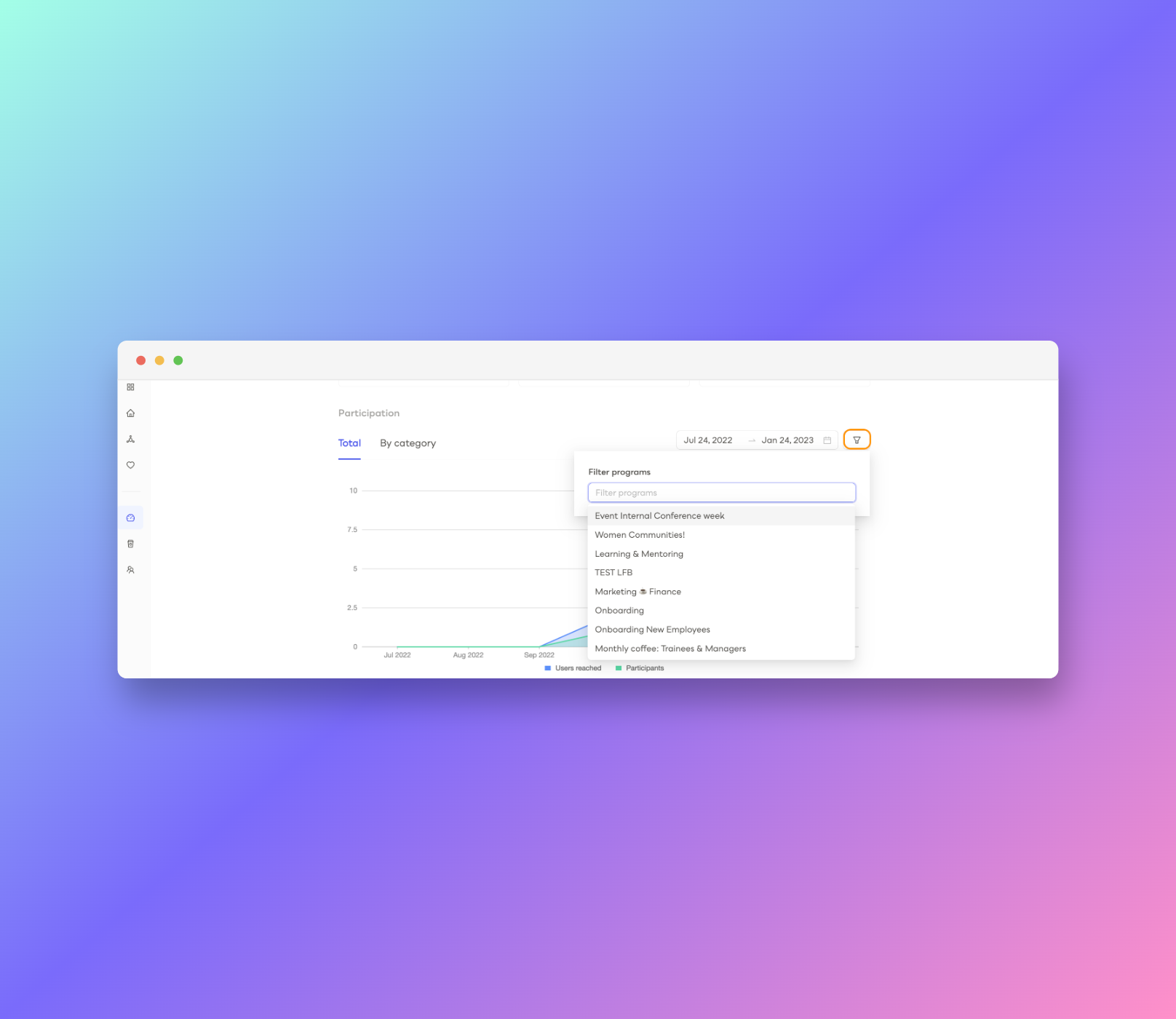
Admins can now use the dashboard to filter the chart view and gain insights into program performance.
New Features
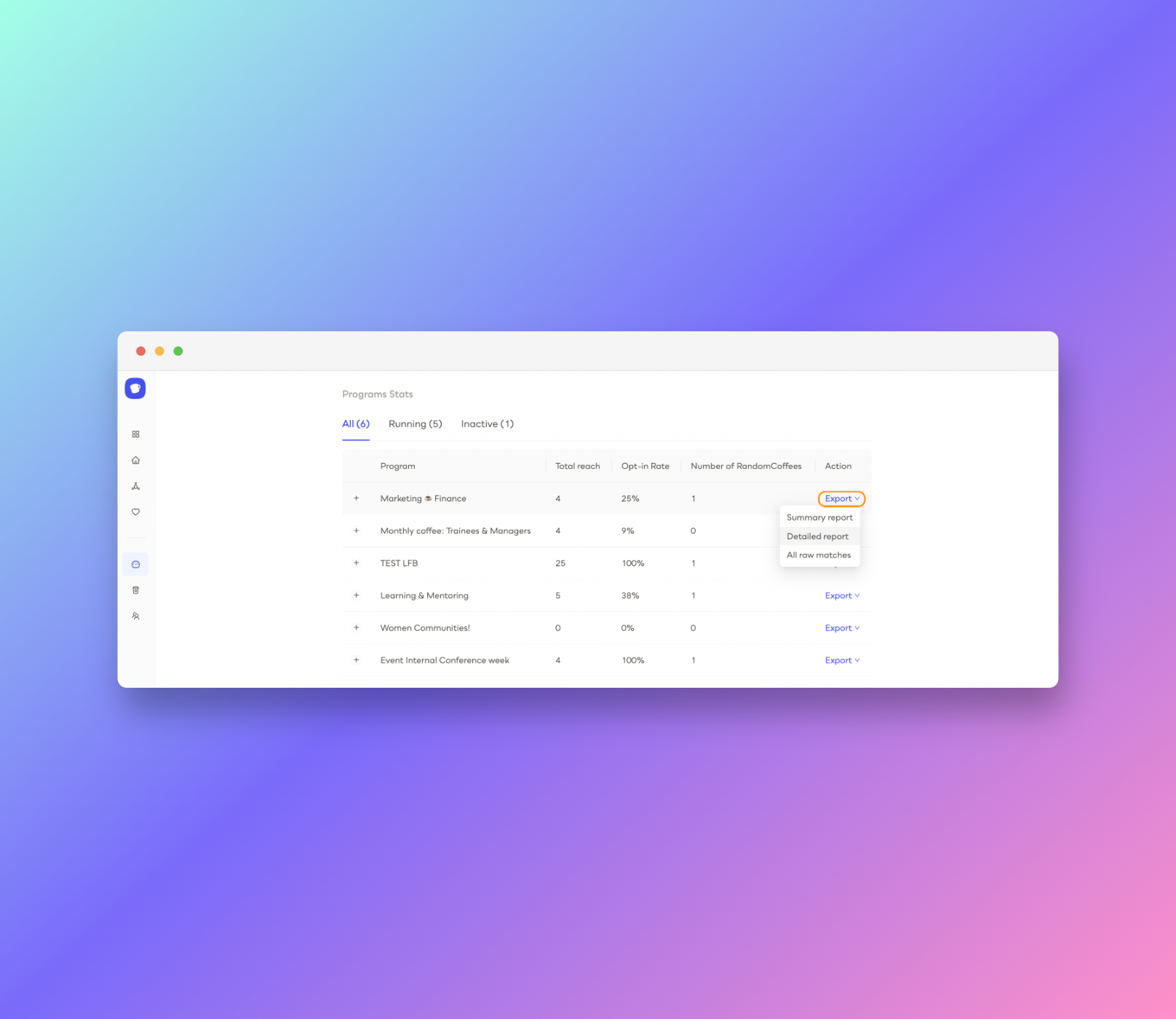
Easily Export the Detailed Insights of a Single program
Admins can now easily access and analyze the detailed information of a single program.
New Features
Snooze Your Way Through Participation Emails
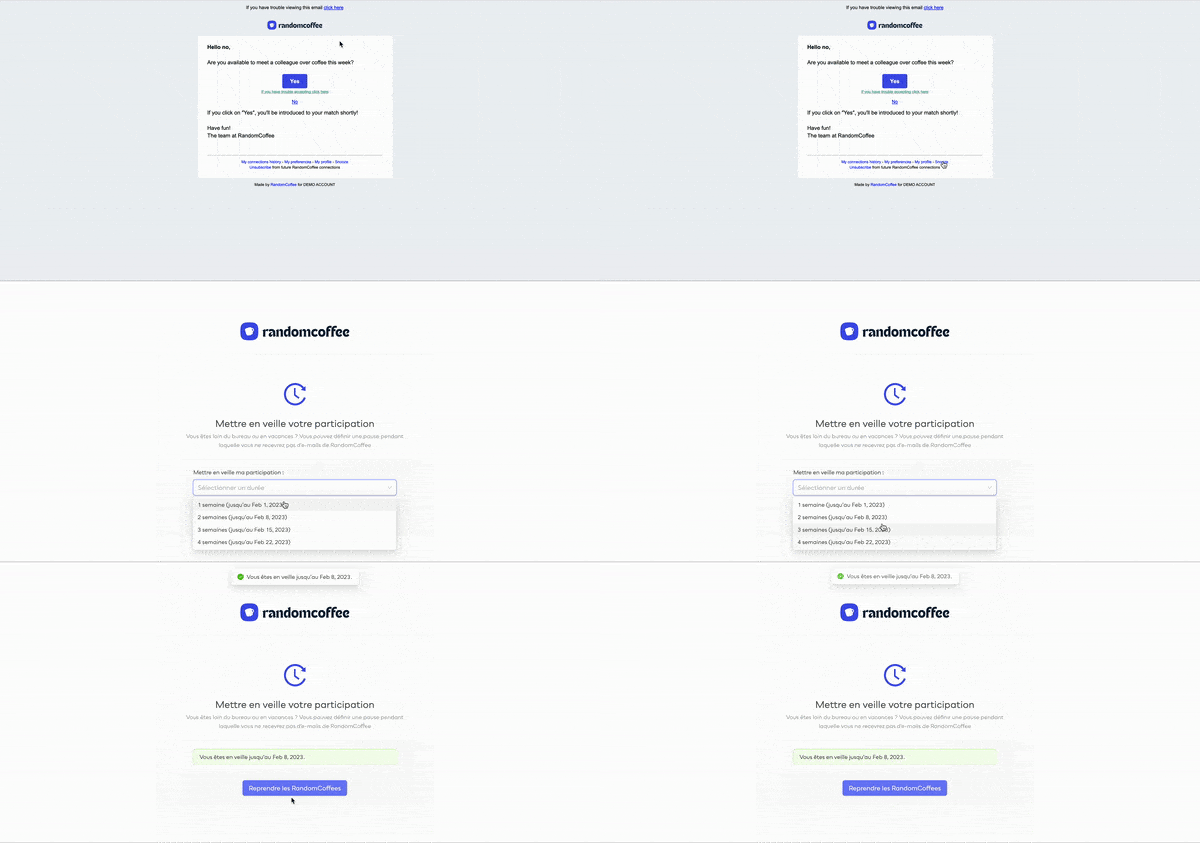
RandomCoffee emails can be temporarily paused by users who wish to take a break from participating by using the magical "snooze" option.
Improvements
Empowering Admins with user mass-Imports history
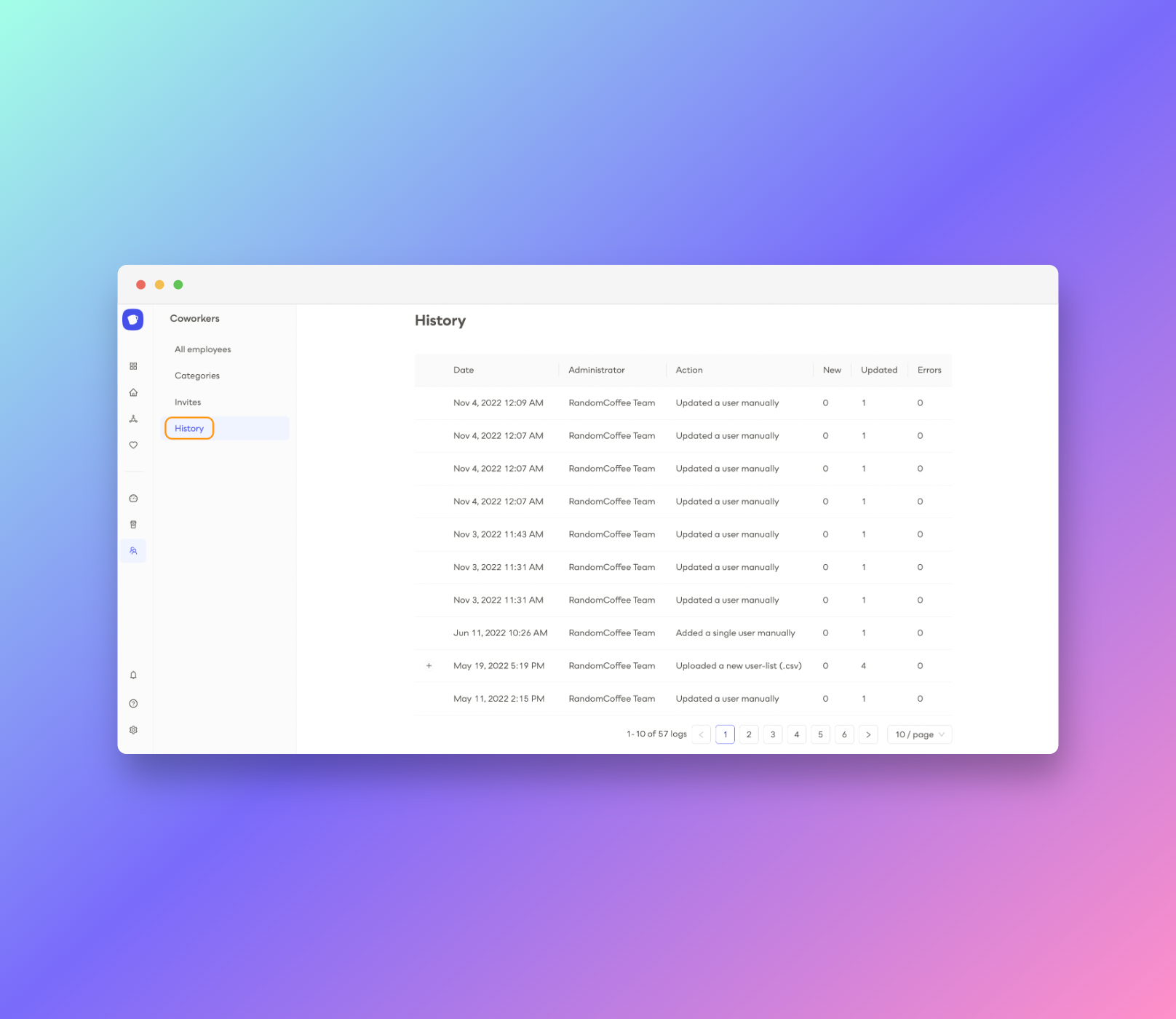
Admin teams now have access to the powerful new capability of viewing the history of mass-import users in the coworkers section, enabling them to easily manage user data and streamline their processes.
Improvements
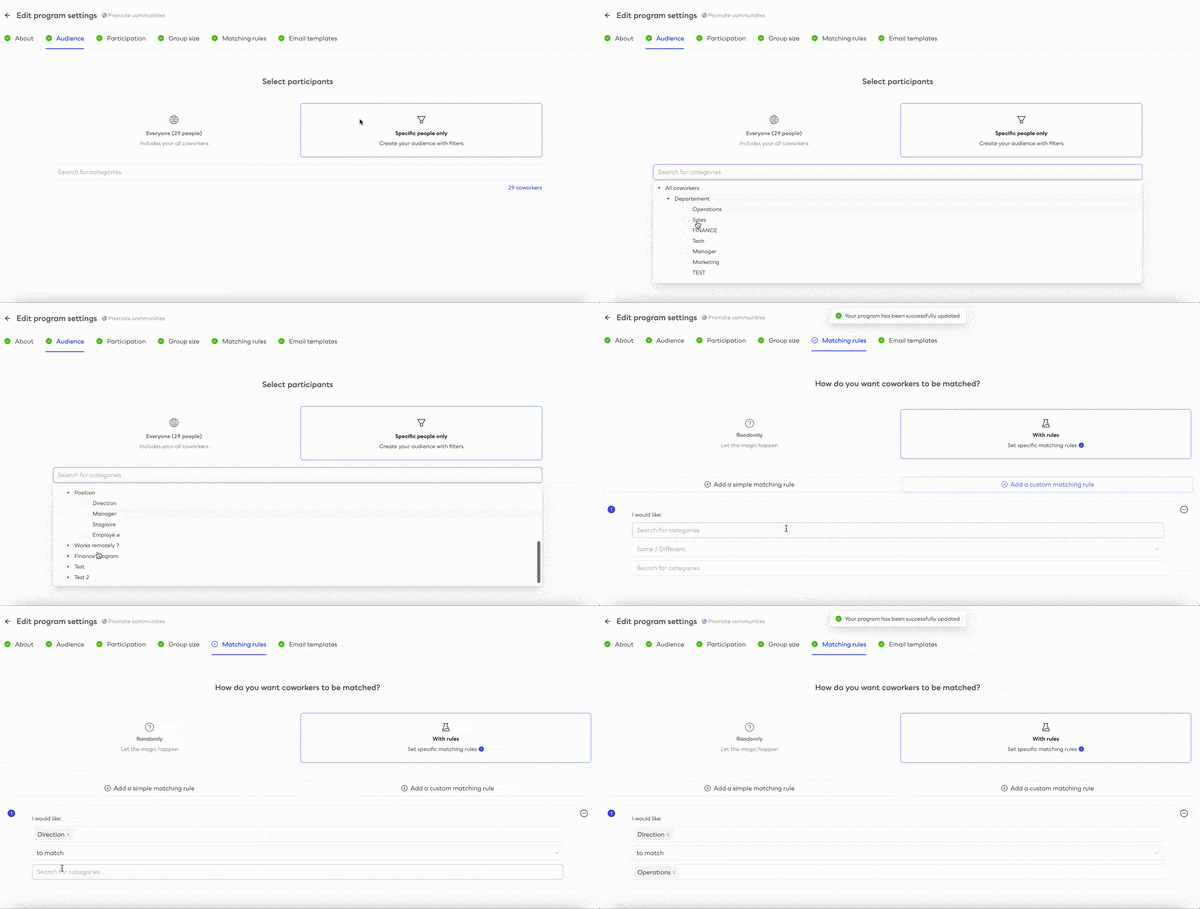
Easily Find What You Need: Improved Category Search for Admins
Admins can now quickly and easily search and select the categories they need to target their programs, saving time and effort in the process.
Improvements
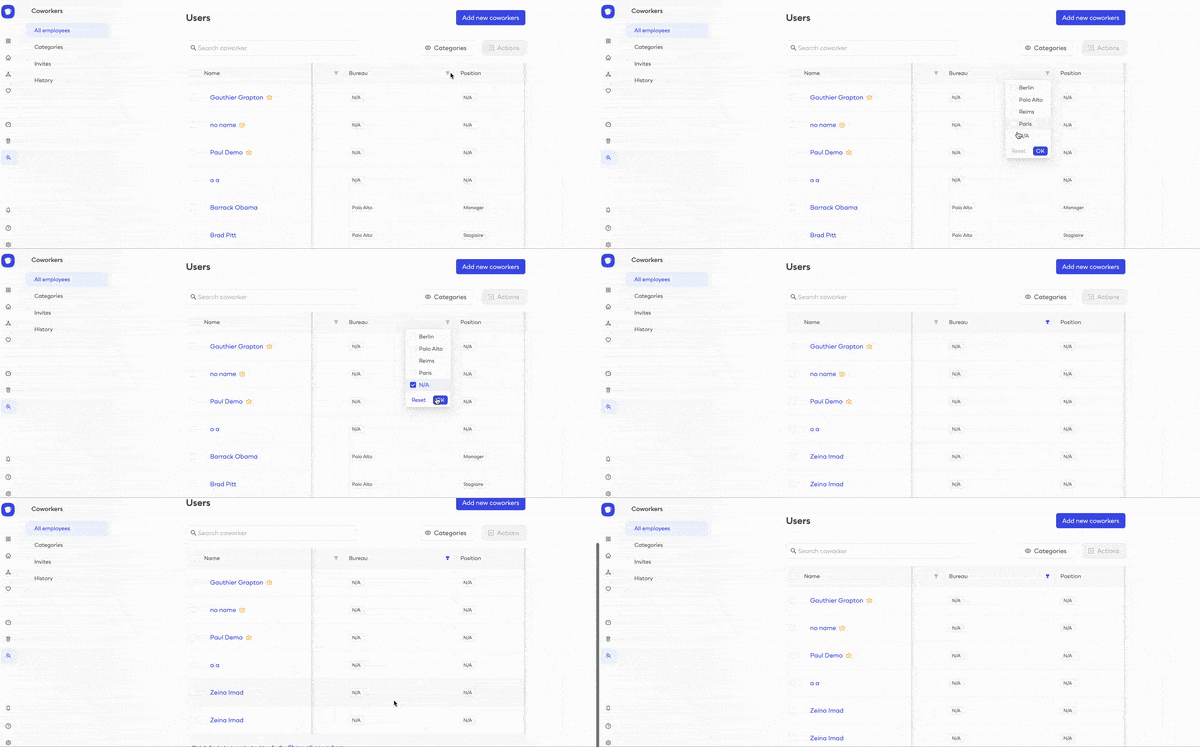
Easily Filter Out Incomplete Data in Coworkers Table
With the new filter on “N/A” values in the coworkers table, admins can now easily and efficiently manage their workforce. This is a great way to save time and resources while ensuring data accuracy.
Improvements
Secure Your Invites and Registrations with Our Tokenized Link Formatting
Our tokenized Invite and Registration links provide an increased level of security, allowing you to register for events with peace of mind. Enjoy the convenience of secure registration with our updated link format.
New Features
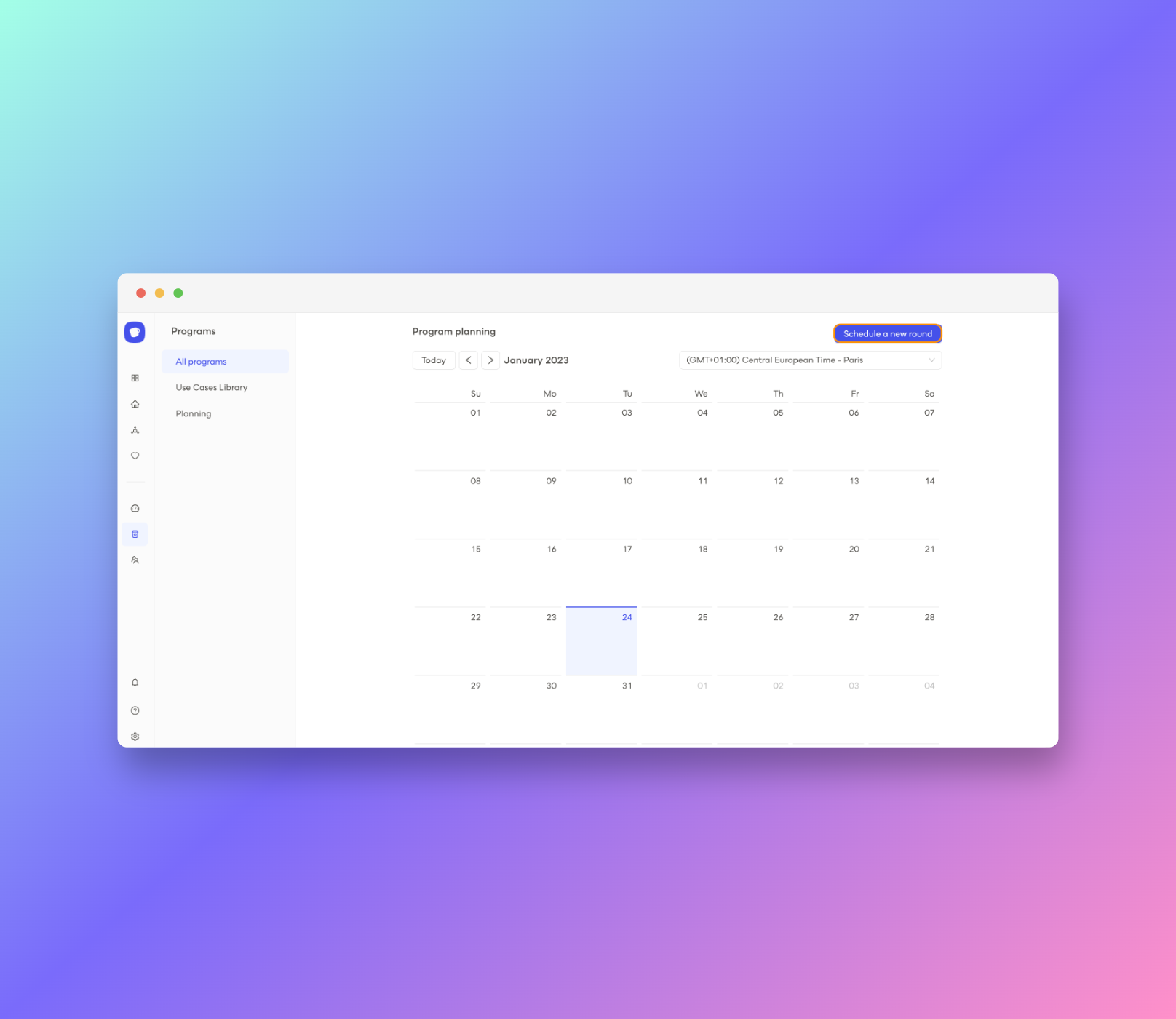
Introducing the New Inner Interface & Calendar Architecture!
We're excited to introduce a new inner interface that makes it simpler to stay organized and plan your programs!\
\
With the new calendar architecture, you can easily manage your program settings and plan out your rounds with greater efficiency.\
\
Streamline your workflow and get the most out of your programs with the new inner interface today\
\
New Features
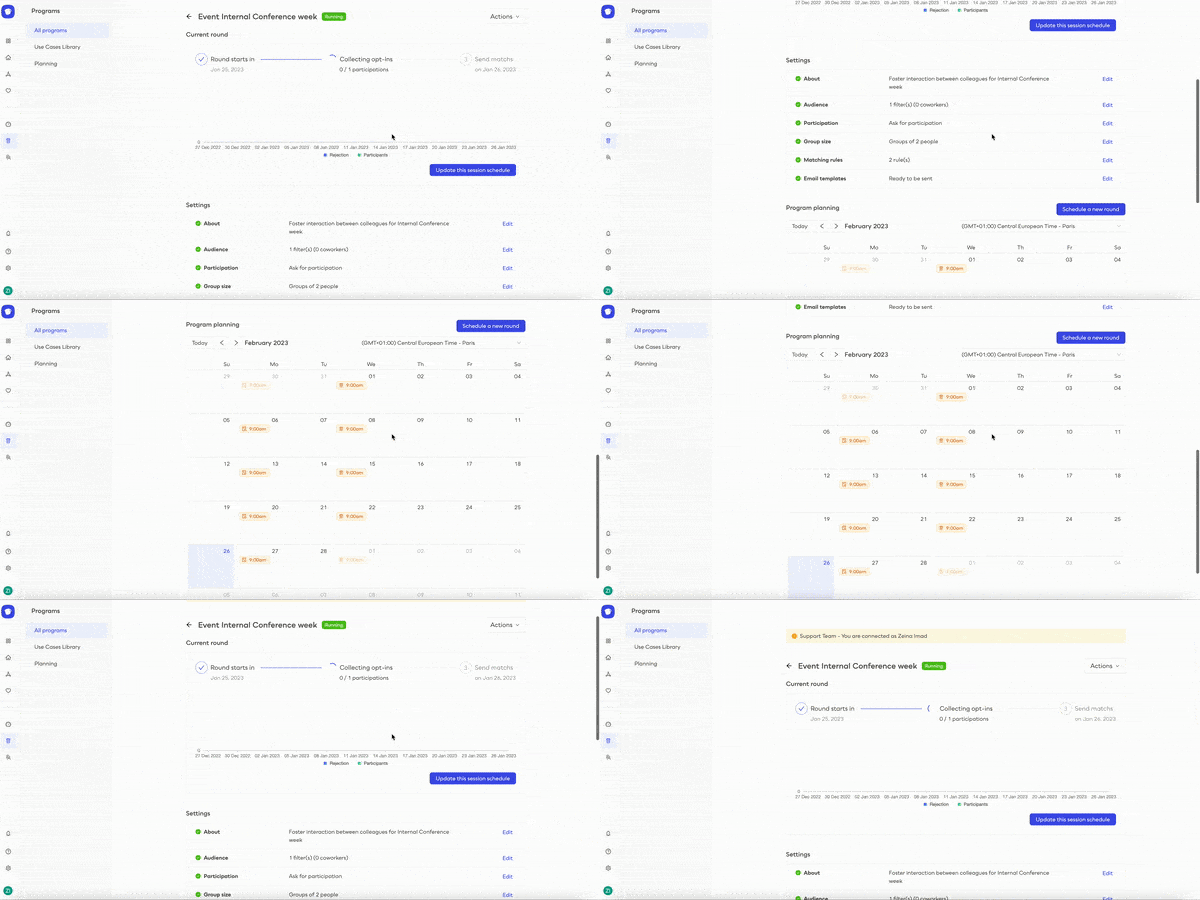
Organize Your Rounds Easily with Calendar View
Introducing calendar view: See all your rounds in one place with ease! Our calendar view gives you the power to quickly and easily edit, reschedule, or cancel any rounds - so you stay in control of your schedule.
New Features
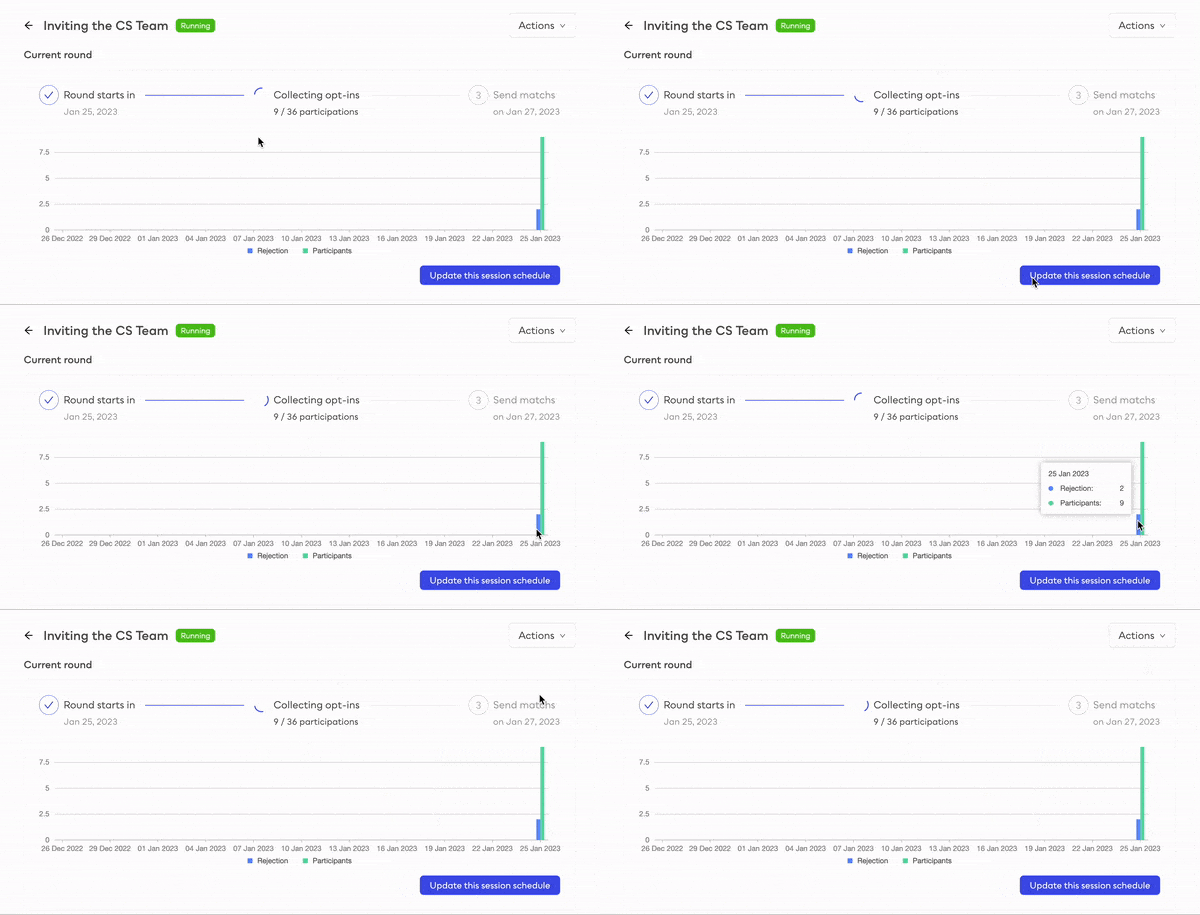
Gain Total Control Over Your Programs with the Stats Monitoring!
Stay on top of your program performance with real-time program statistics. Get a comprehensive view of the lifecycle of your programs and track engagement in real-time to make the most of your marketing efforts.
New Features
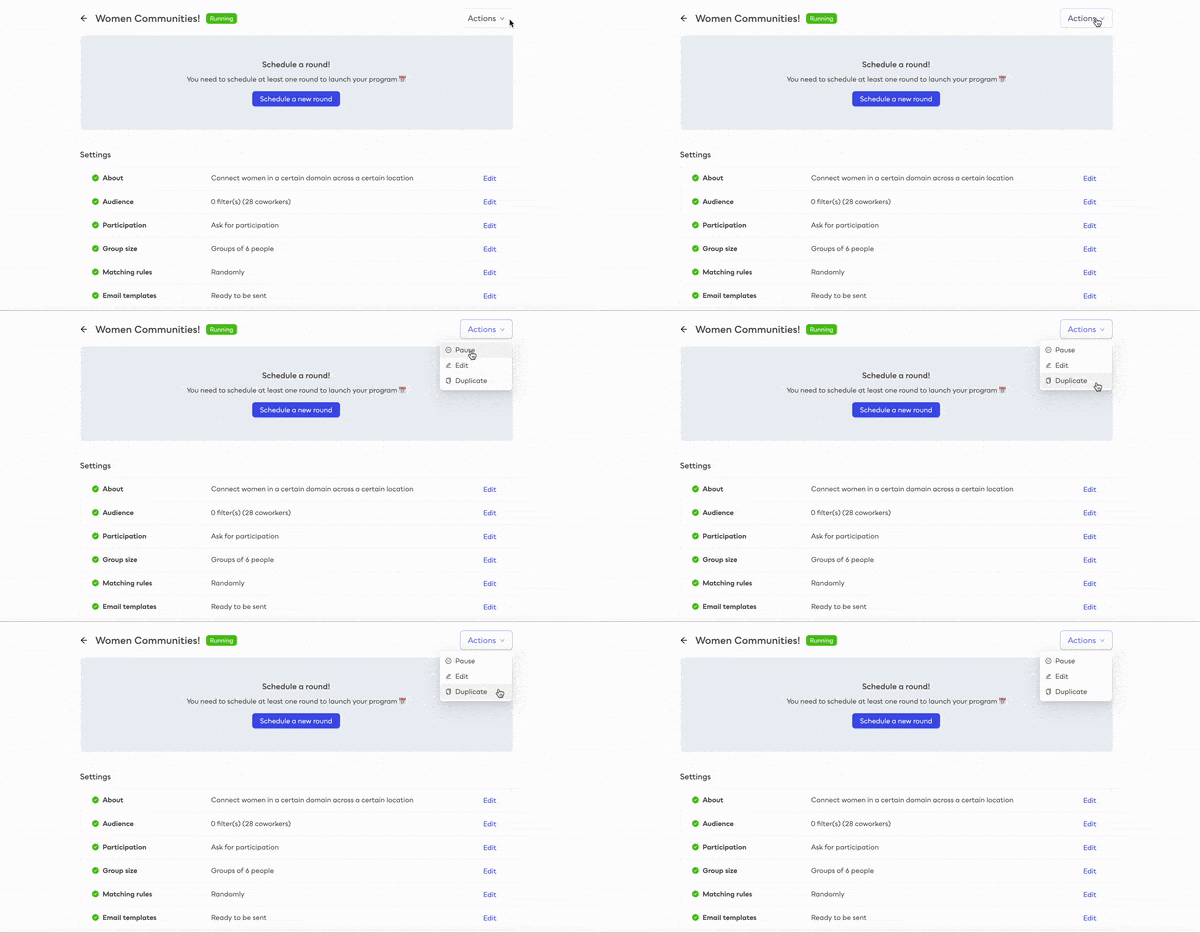
One Click: Duplication and Modification Simplified
Are you looking to make changes to your marketing programs? Now you can save time and effort with our new feature - duplicate or delete a program with one click! Streamline your workflow and get your programs launched faster than ever before.
Improvements
Improved look and feel of opt-in & opt-out pages!
Our refreshed session accept and reject pages deliver an improved user experience, with an eye-catching modern look.
Improvements
Improved Security & Performance Upgrades
We've made a number of small but important security and performance enhancements to give you an even better experience!
Improvements
Collecting employee session opt-out feedback
Coworkers can give a new feedback when refusing a randomcoffee proposition: “I haven’t even been able to make my previous random coffee yet”
New Features
Improving scheduling preview for reccuring session
Admins can now preview a projection of opt-in & matching dates when planning a recurring program. They also are now informed of the information that will be visible to users when creating a new program.
Improvements
Refreshing admins display and employees multi-select in user table
Admins are now displayed on-top of the users table in the coworker section, they can now select all coworkers and take mass actions on them.
New Features
Improving hidden categories UI and employee visibility
Hidden categories are now directly indicated on category cards and are removed from the instant matching user feature
Improvements
New notifications for programs
We improved error notifications when trying to delete a category which is used in program matching rules
Improvements
Reorganizing dahboard data & cards UI
Sessions history is now sorted from newest to oldest round in the dashboard section
We clarified information on every cards and improved draggable cards UI understanding
Improvements
New look & user experience for meeting & inviting new coworkers
We refreshed the instant match icebreaker email template for clearer information and smoother coworkers introduction
We improved the experience of inviting colleagues via email for users and simplified the entry of addresses values tokenization
New Features
Adding advanced options for program deactivation
Admins can now set preferred instructions on remaining running events when trying to deactivate a program
Admins can now duplicate existing programs
Admins can now totally delete programs
New Features
New data visualization & filtering for programs metrics
Admins can now visualize the participating audience for every program and its rounds
Admins can visualize ACTIVE programs metrics in dashboard section
Improvements
Improving service notifications
Admins are better notified over implications when trying to delete a category which is used in active matching rules
New Features
Adding app language preference for employees
Users can now set their favorite languages over default workspace language
Users are now notified by email when trying to create an account that already exists
Improvements
Refreshing feedback pages look & experience
We redesigned participation landing pages for users and integrated a better feedback collecting system
New Features
Boosting programs planning and customization for perfect control
We made timezone selection easier while creating or editing a program
We simplified emails dates & times management while creating/editing a program
programs can now be sorted by status in overall programs list
Improvements
Improving employees filtering in user table & categories mapping flow
We upgraded coworkers filtering & searching in users list for admins
Categories mapping options & new categories creation are optimized for admins while Importing .csv users list
New Features
Brand new matching experience for employees with instant match V2
Say hello to instant matching V2! Users can now directly search for specific profiles and get connected with new coworkers instantly. Just simply set your criterias, we connect you to the right person and take care of the intro!
New Features
Implementing administration notifications for admin teams visibility
Say hello to in-app administration notifications! Admins are now notified when co-admins make changes on the workspace
Admins can now enjoy a bucket of tips like best practices and settings recommendations when creating a new program to get optimized results
New Features
Boosting employee participation with new program settings and tips
New added coworkers are now automatically included into corresponding running programs
For asking-participation programs, we now suggest a best-practice delay to admins for opt-in mails sending according to the match emails sending date
Improvements
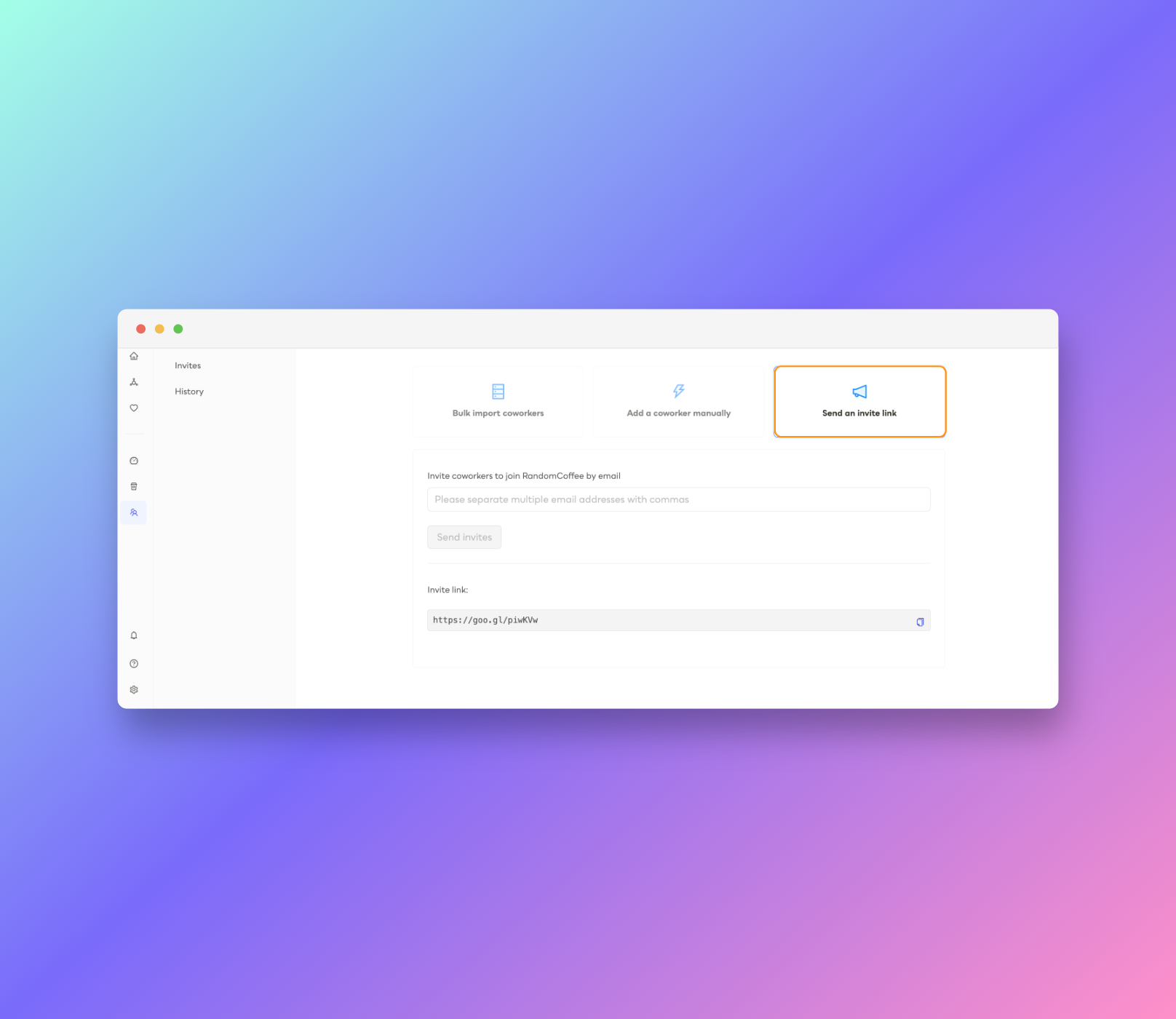
Inviting coworkers easily for employees
We simplified experience for users to invite coworkers to join the workspace and made it more accessible
Improvements
Giving our whole emails a brand new look and clarity
We redesigned all our mail templates to give it a better look and understanding in order to provide a smoother email experience
Announcement
Say hello to the email editor!
Release your creativity with email customization. Admins can now totally customize their emails in a few clics and send send test emails
New Features
Implementing onboarding and product tour for new admins and employees
We implemented custom & interactive onboarding checklists with guided starting actions for users and admins in order to discover randomcoffee and handle features on first connection
We redesigned our Help center to make it more clear and updated our Q&A in order to improve user support
New Features
Improving user mass-import UI & experience
We made the users list import experience clearer by adding a final recap including your import’s details and users updated status
Admins can now reschedule email sending dates for current round only in a program
Improvements
App responsiveness improvements
We made global layout optimizations to improve app display and overall responsiveness
New Features
Adding employee password reset for admins
Admins can now initiate users password reset by sending them directly the reset password email
Improvements
New type of preference for employees
-Users can now set a new type of preference: “I don’t want to meet meet these profiles”
New Features
Rethinking our dashboard section for better data clarity and consistency
We made the dashboard section more consistant by optimizing graph data display and adding new impact-metrics such as participation rate per program & categories, global people engagement, top-users people and much more!
Announcement
Implementing instant matching for employees!
Want an intro to someone from Marketing but don’t know where to start? Enter your need, get instantly connected.
New Features
Introducing employee matching preferences
Anyone can now have their own matching preferences, and be introduced to people they actually want to discover.
New Features
Powerful initiative management with the new program settings section
A brand new overview of your programs, with long-time asked metrics to help you understand and improve performance.
At last, the list of top users! Easily find who are the top participants in just a click.
Announcement
Say hello to RandomCoffee 2.0!
Thanks to your precious feedback and driven by continuous improvement, we just got the tiger by the tail during this unprecedented period to develop your RandomCoffee 2.0 with fresh new look and features.\
\
Now you an easily create programs powered by smart matching rules to help colleagues meet new people at work, and foster interactions and new connections in your company!



 \
\
We've redesigned the interface to maximize functionality and clarity on upcoming events, action items and activity notifications for members.\
\
This upgrade will make it easier to organize activity and program participation for members!\
\
Hope you will enjoy it! 💥
\
\
We've redesigned the interface to maximize functionality and clarity on upcoming events, action items and activity notifications for members.\
\
This upgrade will make it easier to organize activity and program participation for members!\
\
Hope you will enjoy it! 💥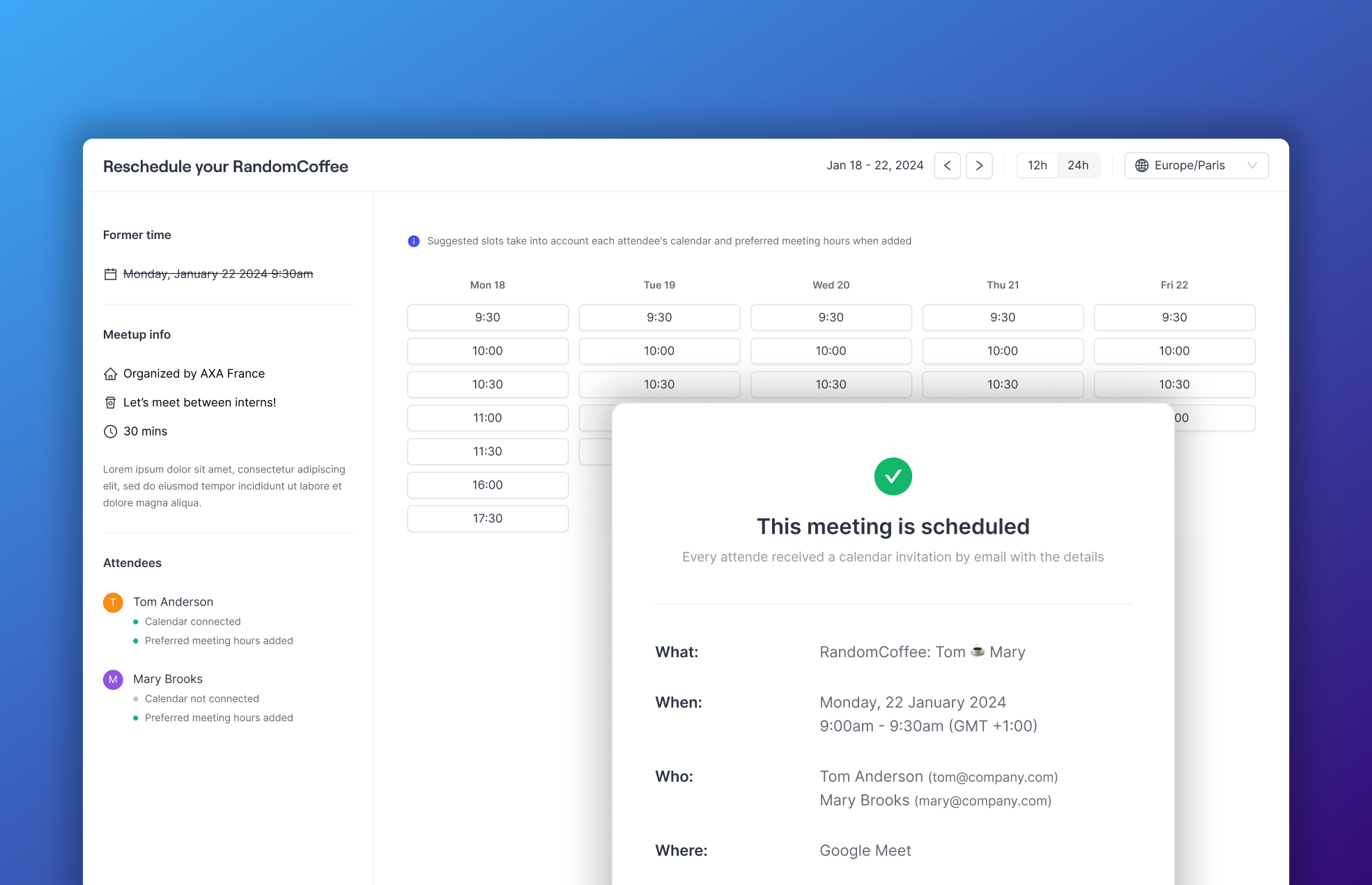 \
\
Enable your users to effortlessly schedule their random coffees with just one click!\
\
📆 Include a link to our scheduling page in your messages\
🪄 Personalize events and keep track of the number of meetups\
⏱️ Users can seamlessly integrate their calendars and availabilities into the app\
\
We hope you enjoy this new addition!
\
\
Enable your users to effortlessly schedule their random coffees with just one click!\
\
📆 Include a link to our scheduling page in your messages\
🪄 Personalize events and keep track of the number of meetups\
⏱️ Users can seamlessly integrate their calendars and availabilities into the app\
\
We hope you enjoy this new addition!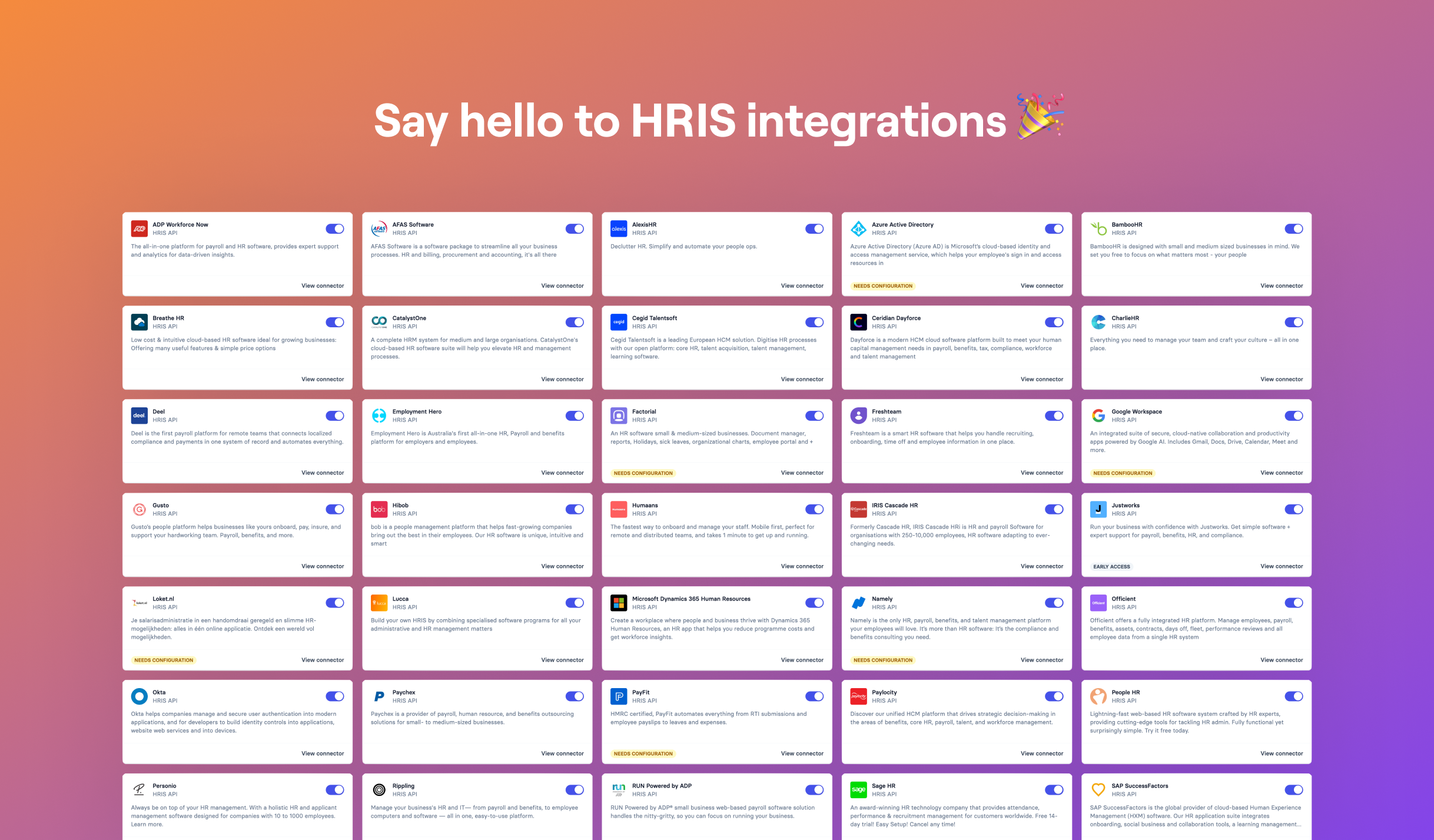 \
\
We are thrilled to announce that RandomCoffee is now integrated to 50+ HRIS systems to take user management to the next level! \
\
* ⚡️ Connect your HRIS in one click & import all your people data in seconds
* 🔄 People updates, arrivals & departures, synched automatically into RandomCoffee
* ⏱️ Say farewell to manual uploads and hours of user management\
\
Don't wait! Enable HRIS integration to your account and save time & energy with user management to focus on creating meaningful connections!
\
\
We are thrilled to announce that RandomCoffee is now integrated to 50+ HRIS systems to take user management to the next level! \
\
* ⚡️ Connect your HRIS in one click & import all your people data in seconds
* 🔄 People updates, arrivals & departures, synched automatically into RandomCoffee
* ⏱️ Say farewell to manual uploads and hours of user management\
\
Don't wait! Enable HRIS integration to your account and save time & energy with user management to focus on creating meaningful connections!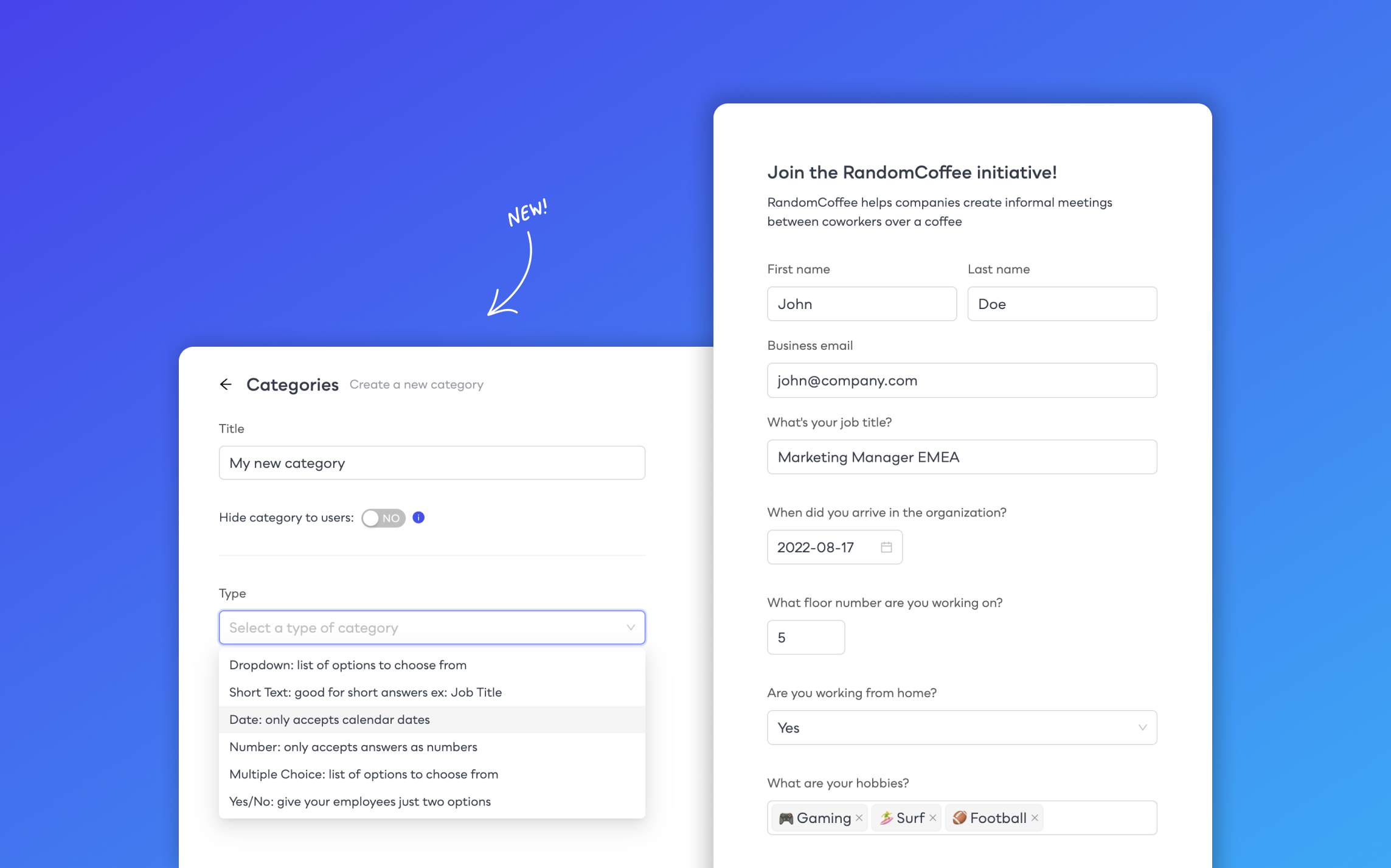 \
\
You can now create multi-type categories in the app like short texts, dates, booleans and multiple choice dropdowns. \
\
🔗 For now you can use these new formats in your invite links and we will make it accessible into matching rules soon to push matching to a next level! \
\
Stay tuned!
\
\
You can now create multi-type categories in the app like short texts, dates, booleans and multiple choice dropdowns. \
\
🔗 For now you can use these new formats in your invite links and we will make it accessible into matching rules soon to push matching to a next level! \
\
Stay tuned!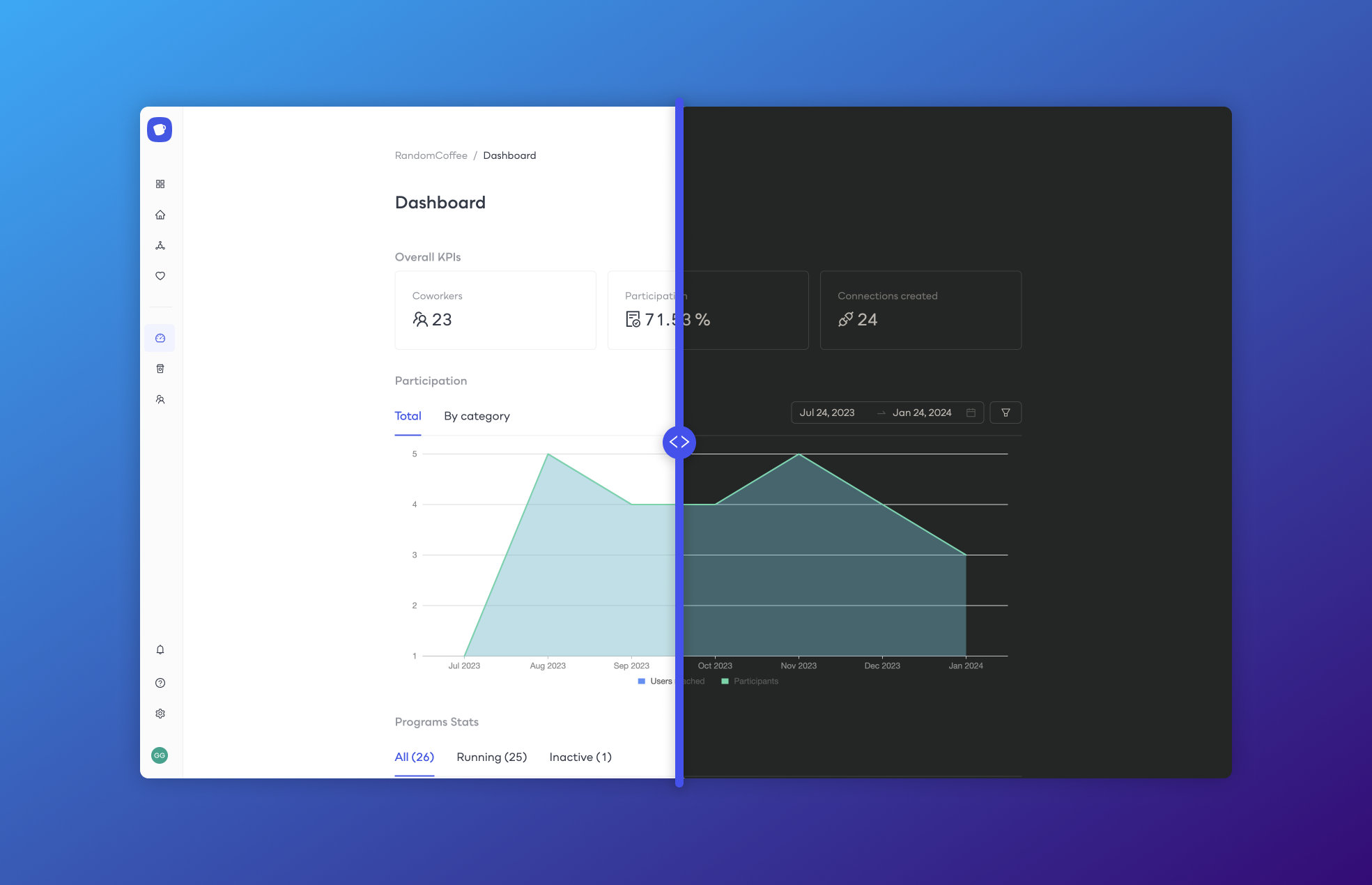 \
\
🌙 We added a dark mode to RandomCoffee, making the app more friendly to use for dark mode lovers and late-sleepers. Hope you will enjoy it!
\
\
🌙 We added a dark mode to RandomCoffee, making the app more friendly to use for dark mode lovers and late-sleepers. Hope you will enjoy it!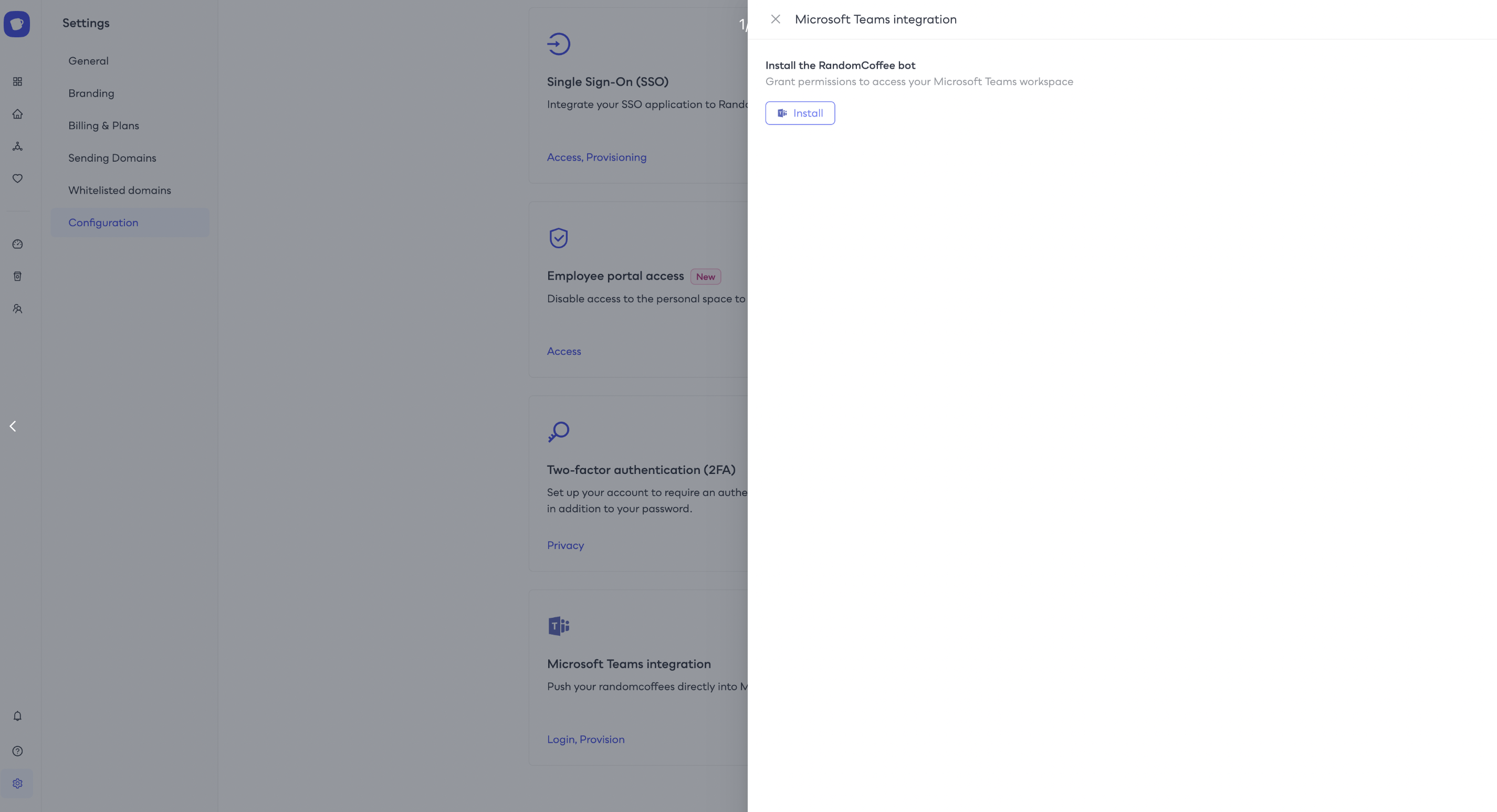 \
\
We are thrilled to announce our latest upgrades in enhancing your team's collaboration and connectivity: the new version of the Microsoft Teams integration! \
\
🔗 Set advanced matching rules \
\
💬 Chat & Schedule your meetup in one click \
\
🌐 Build on your existing communities \
\
📢 Don't wait! Elevate your team's collaboration and foster connections with the RandomCoffee integration for Microsoft Teams. Start creating meaningful connections today!
\
\
We are thrilled to announce our latest upgrades in enhancing your team's collaboration and connectivity: the new version of the Microsoft Teams integration! \
\
🔗 Set advanced matching rules \
\
💬 Chat & Schedule your meetup in one click \
\
🌐 Build on your existing communities \
\
📢 Don't wait! Elevate your team's collaboration and foster connections with the RandomCoffee integration for Microsoft Teams. Start creating meaningful connections today!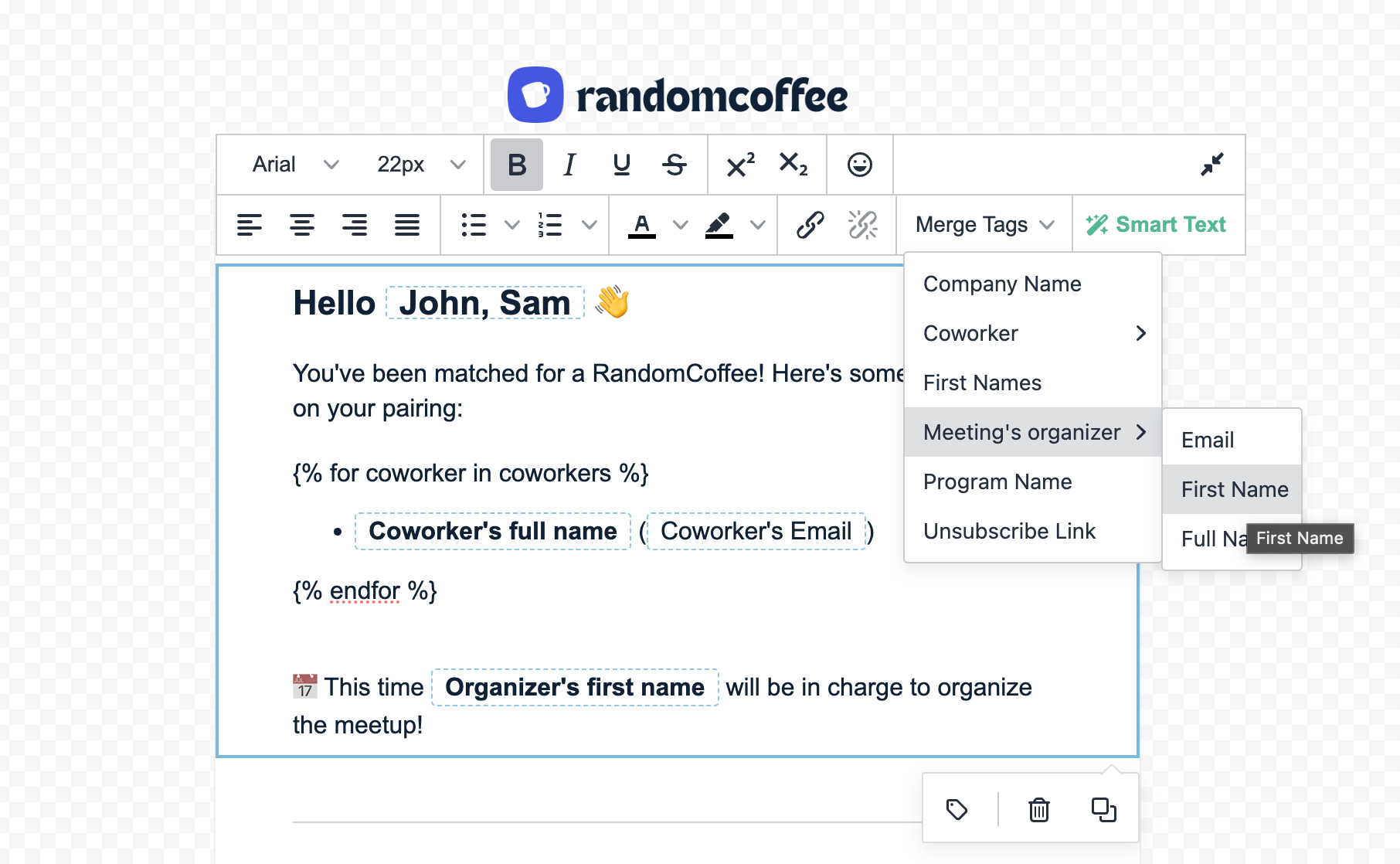 \
🌟 Say hello to the "Organizer Option" in our match email templates \
\
🔧 With the Organizer Option, you now have even more control and personalization when crafting match emails. This feature allows you to dynamically include the organizer's name, making your communication more engaging and authentic. \
\
📌 Key Benefits:\
\
✨ Professional Touch: Elevate the professionalism of your emails by highlighting the organizer's involvement.\
\
✨ Improved Communication: Enhance the clarity and context of your messages, driving better engagement and participation.\
\
🌟 Say hello to the "Organizer Option" in our match email templates \
\
🔧 With the Organizer Option, you now have even more control and personalization when crafting match emails. This feature allows you to dynamically include the organizer's name, making your communication more engaging and authentic. \
\
📌 Key Benefits:\
\
✨ Professional Touch: Elevate the professionalism of your emails by highlighting the organizer's involvement.\
\
✨ Improved Communication: Enhance the clarity and context of your messages, driving better engagement and participation.\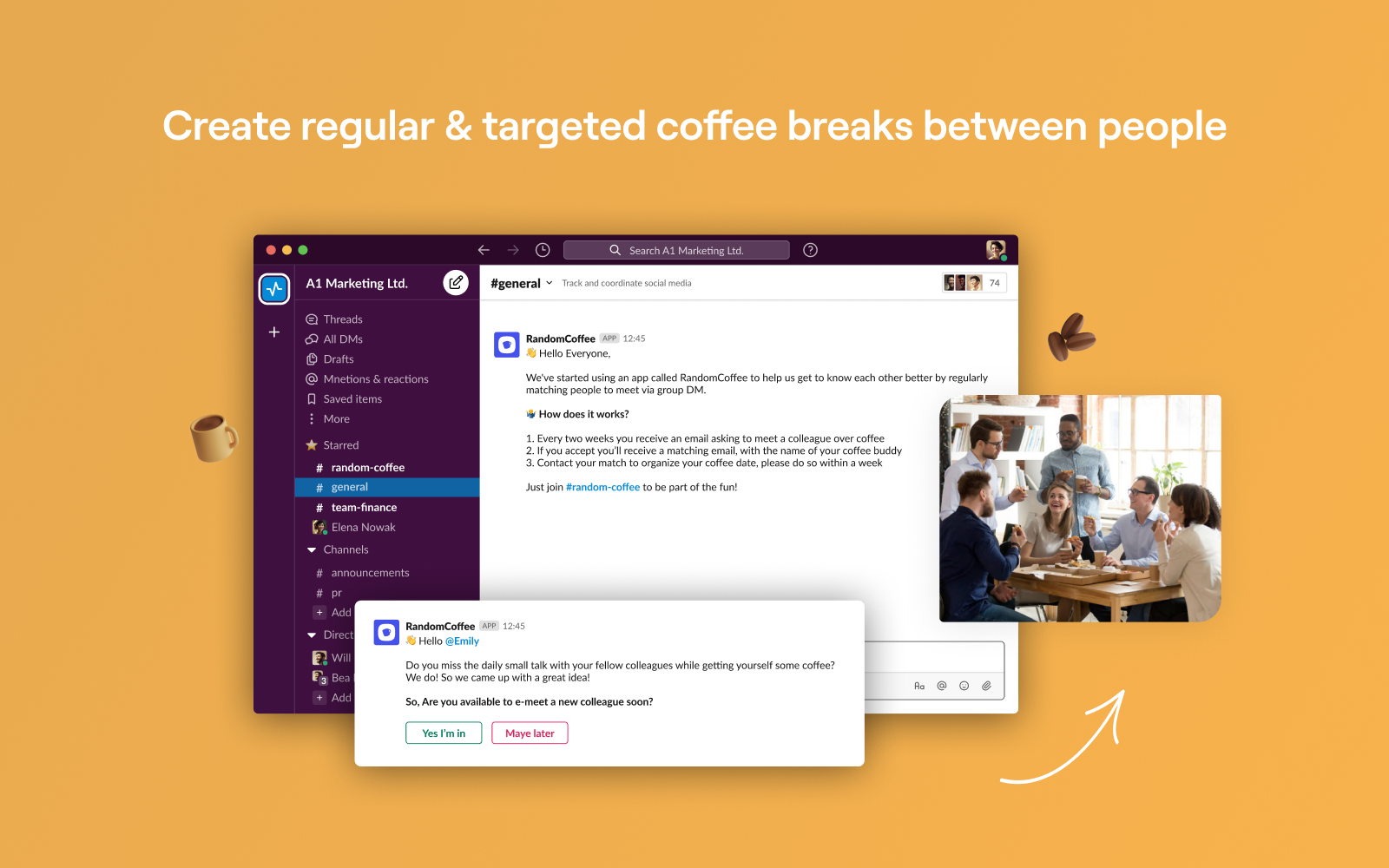 \
Now, you can take your social connections and collaboration to a whole new level. Say goodbye to missed opportunities and hello to a dynamic and engaging RandomCoffee experience right within your favorite Slack channels. \
\
Here's what you need to know about the exciting new Slack integration: \
\
🔀 Seamless Transition: \
\
🕹️ Interactive Match Notifications:\
\
🤝 Collaborative Card Sharing:\
\
✔ Automatic User Sync: \
\
🎯 Targeted Audience Selection:\
\
Now, you can take your social connections and collaboration to a whole new level. Say goodbye to missed opportunities and hello to a dynamic and engaging RandomCoffee experience right within your favorite Slack channels. \
\
Here's what you need to know about the exciting new Slack integration: \
\
🔀 Seamless Transition: \
\
🕹️ Interactive Match Notifications:\
\
🤝 Collaborative Card Sharing:\
\
✔ Automatic User Sync: \
\
🎯 Targeted Audience Selection:\